Our website uses necessary cookies to enable basic functions and optional cookies to help us to enhance your user experience. Learn more about our cookie policy by clicking "Learn More".
Accept All Only Necessary Cookies
Remote Desktop - Touchpad++ 圖標

Remote Desktop - Touchpad++


Droid Atom
1.1
  • 2016年06月30日
    Update date
  • Everyone
  • Android 2.2+
    Android OS

關於Remote Desktop - Touchpad++

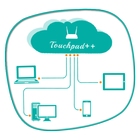
它可以讓你與你的手機/平板電腦控制您的電腦。

Want to feel your normal PC screen to touch screen. Then Try Touchpad++. It will realize you are working with touch screen computer. It allows you to control your PC with your phone/tablet.

How to use?

Download Touchpad++ server setup for window PC : http://bit.ly/1jfpyHO

•Install program on Pc, then Run it as administrator.

•Make sure PC and Android phone are in the same network. You can use android phone as portable hotspot and connect to PC.

•Run app on Android phone, then input IP address of PC and click “connect”.

Thank you.

Hope you Enjoy it.

更多

更多應用信息

最新版本

1.1

上傳者

Solange Flor

系統要求

Android 2.2+

內容分級

Everyone

最新版本1.1更新日誌

Last updated on 2016年06月30日

Minor bug fixes and improvements. Install or update to the newest version to check it out!

更多

Remote Desktop - Touchpad++ 螢幕截圖

Remote Desktop - Touchpad++ 海報Remote Desktop - Touchpad++ 截圖 1Remote Desktop - Touchpad++ 截圖 2Remote Desktop - Touchpad++ 截圖 3Remote Desktop - Touchpad++ 截圖 4

相關標籤

24 小時熱門文章

訂閱APKPure
第一時間獲取熱門安卓遊戲應用的首發體驗,最新資訊和玩法教程。
不,謝謝
訂閱
訂閱成功!
您已訂閱APKPure。