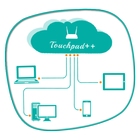
Want to feel your normal PC screen to touch screen. Then Try Touchpad++. It will realize you are working with touch screen computer. It allows you to control your PC with your phone/tablet.
How to use?
Download Touchpad++ server setup for window PC : http://bit.ly/1jfpyHO
•Install program on Pc, then Run it as administrator.
•Make sure PC and Android phone are in the same network. You can use android phone as portable hotspot and connect to PC.
•Run app on Android phone, then input IP address of PC and click “connect”.
Thank you.
Hope you Enjoy it.
Last updated on 2016年06月29日
このバージョンには軽微な不具合の修正と全般的な改善が含まれています。快適に利用するため、最新版にアップデートしてください。



APKPure - Androidを中心としたマルチプラットフォームのアプリストアで、豊富なアプリ関連コンテンツを提供しています。より簡単に、より速く、より安全にアプリを見つけることができ、ダウンロードとインストールも迅速かつ効率的です。