Perform disk usage and statistics.
1.High capacity folder
A pie chart of the high capacity folder is displayed.
2.High capacity extension
A pie chart of the high capacity extension is displayed.
3.Extension of many files
A pie chart of the many file extensions is displayed.
4.Aggregate media files
A bar chart of the aggregated media file is displayed.
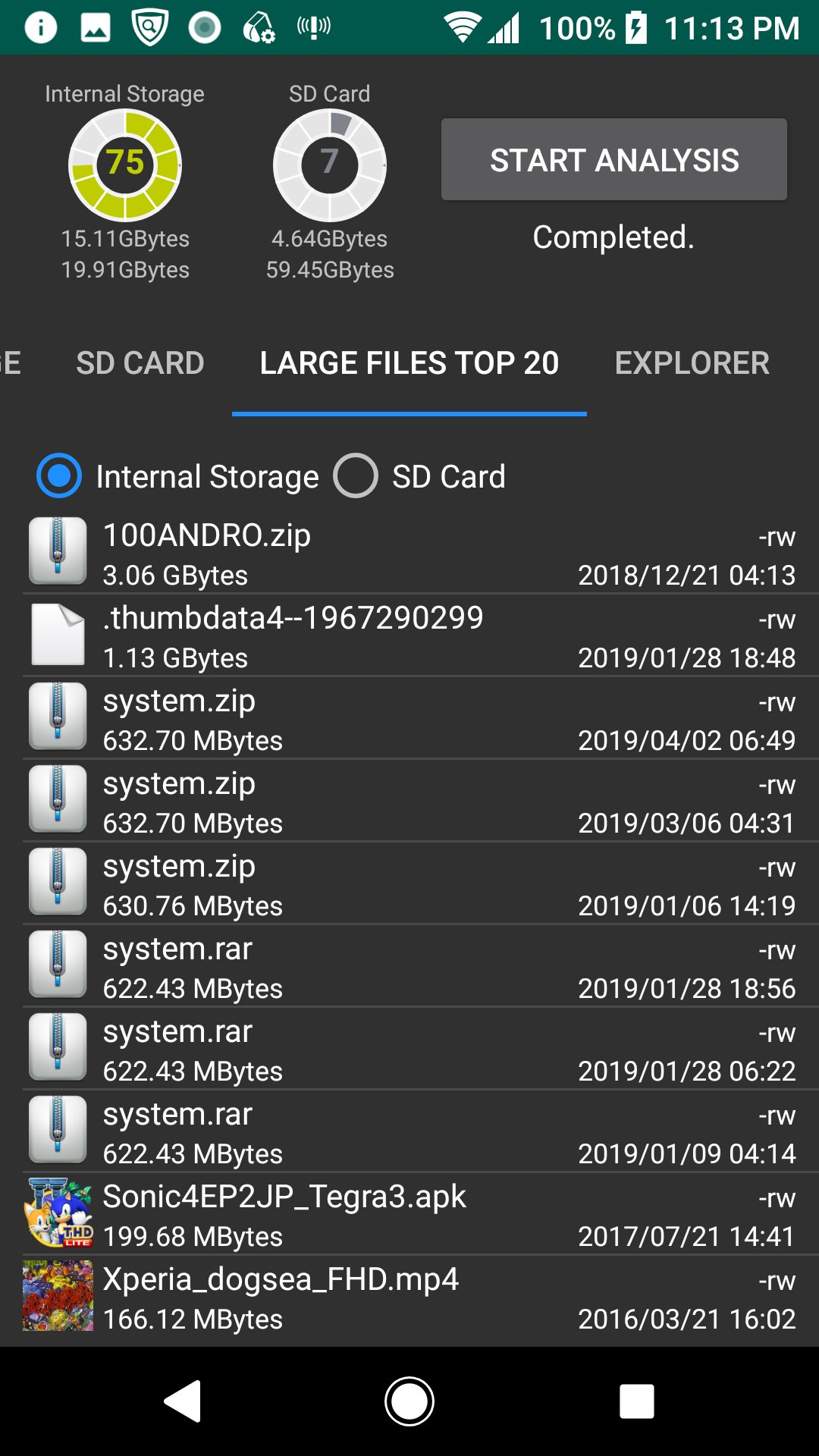
5.Large Files Top 20
The TOP 20 of the large file is displayed. You can also delete it.
6.Explorer
You can check the capacity with Explorer. You can also delete.
7.Cache delete
A list of applications with cache is displayed, and you can clear the cache.
*Since the difference after deletion processing is not reflected in the chart and disk usage gauge, please start analysis again.
Latest Version
1.1.4Uploaded by
Daniel Hakim
Requires Android
Android 5.0+
Category
Free Tools AppContent Rating
Everyone
Report
Flag as inappropriateLast updated on Aug 19, 2020
This release includes minor bug fixes and general improvements. Update to the latest version for the best experience.





APKPure - A multi-platform app store primarily focused on Android, providing extensive app-related content. Discover the app you want easier, faster, and safer, with quick and efficient downloads and installations.