Perform disk usage and statistics.
1.High capacity folder
A pie chart of the high capacity folder is displayed.
2.High capacity extension
A pie chart of the high capacity extension is displayed.
3.Extension of many files
A pie chart of the many file extensions is displayed.
4.Aggregate media files
A bar chart of the aggregated media file is displayed.
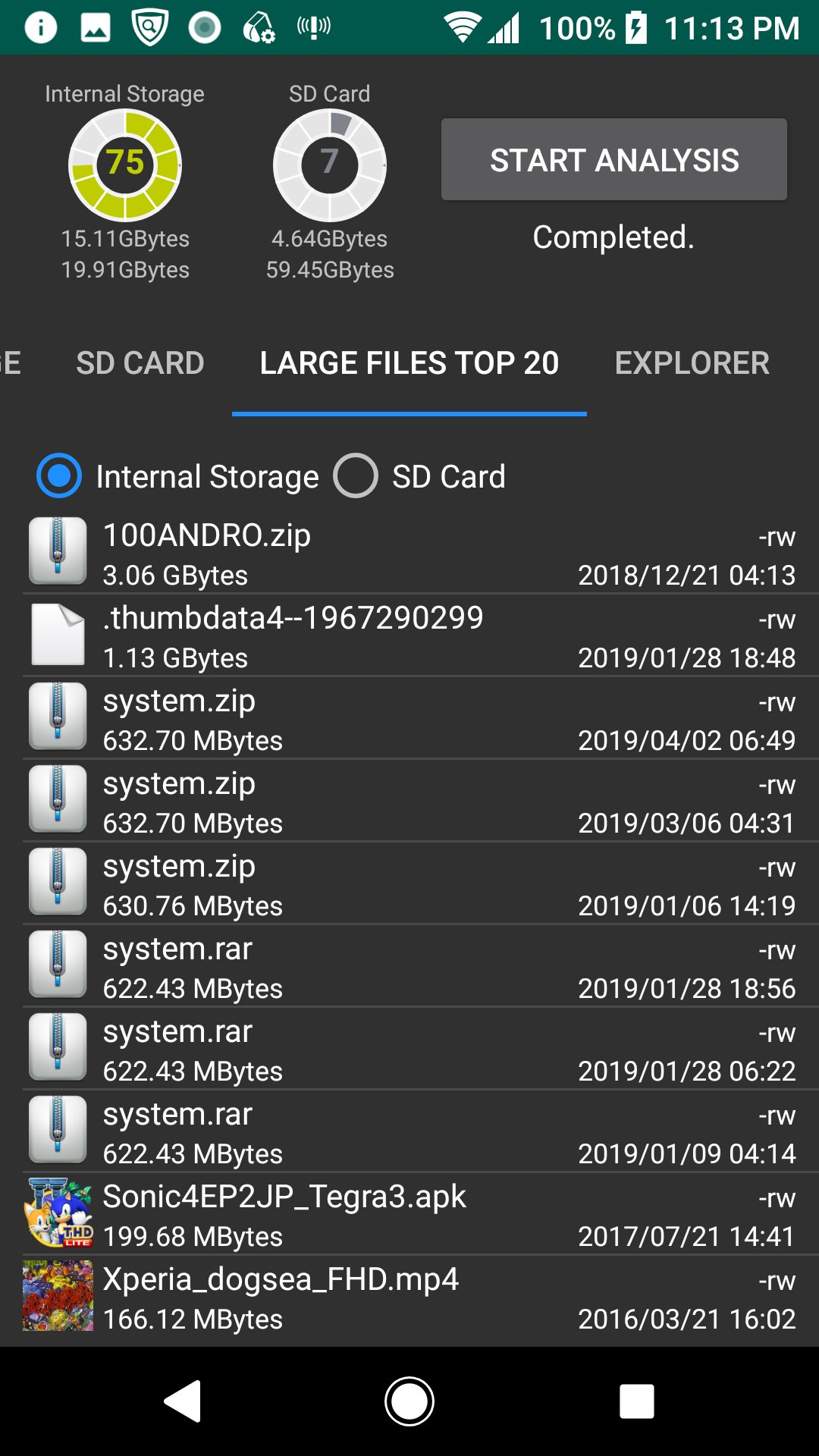
5.Large Files Top 20
The TOP 20 of the large file is displayed. You can also delete it.
6.Explorer
You can check the capacity with Explorer. You can also delete.
7.Cache delete
A list of applications with cache is displayed, and you can clear the cache.
*Since the difference after deletion processing is not reflected in the chart and disk usage gauge, please start analysis again.
Última Versión
1.1.4Presentado por
Daniel Hakim
Requisitos
Android 5.0+
Categoría
Gratis Herramientas APPClasificación de contenido
Everyone
Reportar
Marcar como inapropiadoLast updated on 19/08/2020
Esta versión incluye pequeñas correcciones de errores y mejoras generales. Actualiza a la versión más reciente para disfrutar de la mejor experiencia.





APKPure - Una tienda de aplicaciones multiplataforma enfocada principalmente en Android, que proporciona un amplio contenido relacionado con aplicaciones. Descubre la aplicación que deseas de forma más fácil, rápida y segura, con descargas e instalaciones rápidas y eficientes.