**Requires Kustom Live Wall Paper (KLWP) Pro**
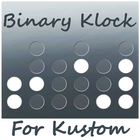
Binary Klock Komponent for Kustom
Features:
-Suppport 24 hour time format
-Option to turn off seconds
-Can change the color for both on and off indications for hours, minutes, and seconds independently
-Adjustable Height and Width
-Option to stylize with buttons
-Background and border options
-Option to clear through to the background for off indications
Installation:
1) Download and install the Kustom app
2) Change your screen wallpaper to a Live Wallpaper
3) Select Kustom
4) Tap the + button
5) Choose Komponent
6) Tap the down arrow
7) Choose kCalendar (will need pro version to add Komponents)
8) Choose Sunday or Monday komponent
9) Configure as desired
10) Tap the save button
11) Enjoy!!!
Latest Version
1.0Uploaded by
Sha Hed
Requires Android
Android 4.4+
Category
Free Personalization AppContent Rating
Everyone
Report
Flag as inappropriateLast updated on Mar 22, 2016
This release includes minor bug fixes and general improvements. Update to the latest version for the best experience.



APKPure - A multi-platform app store primarily focused on Android, providing extensive app-related content. Discover the app you want easier, faster, and safer, with quick and efficient downloads and installations.





![[Substratum] yoru. for Samsung APK](https://image.winudf.com/v2/image1/Y29tLm9oYXlvdWJha2EueW9ydV9pY29uXzE1NDgwNzQ0NTlfMDA0/icon.png?w=102&fakeurl=1)