**Requires Zooper Widget Pro**
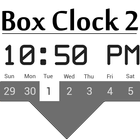
Modern Clock with a Weekly Calendar Beneath.
Features:
Comes in 2 predefined styles.
Automatically supports 12 or 24 hour time formats.
Calendar coded to work for leap years!
Installation:
1) Download and install Zooper Widget Pro
2) Long press your home screen and add Widget
3) Select Zooper Widget 4x3
4) Tap on the widget
5) Scroll down and select Box Clock 2.0
6) Choose from 1 of the 2 predefined styles
7) It is recommended to click Widget OnTap Action and select Disabled (onTap actions exist for each module)
8) Press the back button
9) Enjoy!!!
Fonts:
whitrabt
Latest Version
1.00Uploaded by
Duhan Bodur
Requires Android
Android 4.0.3+
Category
Free Personalization AppContent Rating
Unrated · Warning – content has not yet been rated. Unrated apps may potentially contain content appropriate for mature audiences only.
Report
Flag as inappropriateLast updated on Oct 27, 2015
Minor bug fixes and improvements. Install or update to the newest version to check it out!



APKPure - A multi-platform app store primarily focused on Android, providing extensive app-related content. Discover the app you want easier, faster, and safer, with quick and efficient downloads and installations.