**Requires Kustom Live Wall Paper (KLWP) Pro**
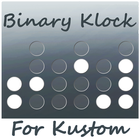
Binary Klock Komponent for Kustom
Features:
-Suppport 24 hour time format
-Option to turn off seconds
-Can change the color for both on and off indications for hours, minutes, and seconds independently
-Adjustable Height and Width
-Option to stylize with buttons
-Background and border options
-Option to clear through to the background for off indications
Installation:
1) Download and install the Kustom app
2) Change your screen wallpaper to a Live Wallpaper
3) Select Kustom
4) Tap the + button
5) Choose Komponent
6) Tap the down arrow
7) Choose kCalendar (will need pro version to add Komponents)
8) Choose Sunday or Monday komponent
9) Configure as desired
10) Tap the save button
11) Enjoy!!!
En Son Sürüm
1.0Yükleyen
Sha Hed
Gereken Android sürümü
Android 4.4+
İçerik derecelendirmesi
Everyone
Bildir
Uygunsuz olarak işaretleLast updated on Mar 22, 2016
Bu sürümde küçük hata düzeltmeleri ve genel iyileştirmeler bulunur. En iyi deneyim için en yeni sürüme güncelleyin.



APKPure - Android ağırlıklı, çok platformlu bir uygulama mağazası olup, geniş uygulama içeriği sunmaktadır. İstediğiniz uygulamayı daha kolay, hızlı ve güvenli bir şekilde keşfedin, hızlı ve verimli indirme ve kurulum imkanlarıyla.