**Requires Kustom Live Wall Paper (KLWP) Pro**
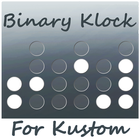
Binary Klock Komponent for Kustom
Features:
-Suppport 24 hour time format
-Option to turn off seconds
-Can change the color for both on and off indications for hours, minutes, and seconds independently
-Adjustable Height and Width
-Option to stylize with buttons
-Background and border options
-Option to clear through to the background for off indications
Installation:
1) Download and install the Kustom app
2) Change your screen wallpaper to a Live Wallpaper
3) Select Kustom
4) Tap the + button
5) Choose Komponent
6) Tap the down arrow
7) Choose kCalendar (will need pro version to add Komponents)
8) Choose Sunday or Monday komponent
9) Configure as desired
10) Tap the save button
11) Enjoy!!!
احدث اصدار
1.0محمل
Sha Hed
Android متطلبات النظام
Android 4.4+
الفئة
مجاني تخصيص تطبيقاتتقييم المحتوى
Everyone
الإبلاغ
تحديد كغير مناسبLast updated on 22/03/2016
يتضمن هذا الإصدار إصلاحات بسيطة للأخطاء وتحسينات عامة. حدّث إلى أحدث إصدار للحصول على أفضل تجربة.



APKPure - متجر تطبيقات متعدد المنصات يركز بشكل أساسي على نظام أندرويد، ويوفر محتوى واسع يتعلق بالتطبيقات. اكتشف التطبيقات التي تريدها بسهولة وسرعة وأمان، مع تنزيلات وتثبيتات سريعة وفعالة.