**Requires Zooper Widget Pro**
**ZW Utilities Suggested (for color customization)**
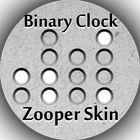
Fist ever Binary Clock Zooper Skin
Features:
- Automatically Supports 12 hour and 24 hour format based on device settings
- If background is transparent, the shading around the dots automatically show (as seen in the first screenshot)
- Integrated with ZW Utilities for full color customization (Or instead broadcast Tasker Variables to send HEX color values to Zooper):
_BINARY_BACKGROUND
_BINARY_ON
_BINAR_OFF
Note: If neither Tasker nor ZW Utilities are set to broadcast the above variables, the clock colors will default to the first screenshot.
Installation:
1) Download and install Zooper Widget Pro and ZW Utilities
2) Download the 3 .zuw templates from https://www.dropbox.com/sh/gtk7ihpf1l4o1m8/AAAkMjH8XOXSGjaSic7GTlIja to your Root\ZWUtilities\ColorExports directory.
3) Long press your home screen and add Widget
4) Select Zooper Widget 5x1 (or 3x1 depending upon your grid size)
5) Tap on the widget
6) Scroll down and select Binary Clock Zooper Skin
7) Select one of the 3 presets
8) It is recommended to click Widget OnTap Action and select your Clock app
9) Press the back button
10) Open ZW Utilities, click settings, then Import. Import any of the Binary Clock.zuw themes or create your own to customize the colors.
11) Enjoy!!!
To read a binary Clock:
http://www.wikihow.com/Read-a-Binary-Clock
Latest Version
1.06Uploaded by
Enzo Henrique
Requires Android
Android 4.0.3+
Category
Free Personalization AppContent Rating
Everyone
Report
Flag as inappropriateLast updated on Oct 16, 2015
1.06: Added black and white presets (see screenshots)



APKPure - A multi-platform app store primarily focused on Android, providing extensive app-related content. Discover the app you want easier, faster, and safer, with quick and efficient downloads and installations.