**Requires Kustom Live Wall Paper (KLWP) Pro**
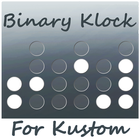
Binary Klock Komponent for Kustom
Features:
-Suppport 24 hour time format
-Option to turn off seconds
-Can change the color for both on and off indications for hours, minutes, and seconds independently
-Adjustable Height and Width
-Option to stylize with buttons
-Background and border options
-Option to clear through to the background for off indications
Installation:
1) Download and install the Kustom app
2) Change your screen wallpaper to a Live Wallpaper
3) Select Kustom
4) Tap the + button
5) Choose Komponent
6) Tap the down arrow
7) Choose kCalendar (will need pro version to add Komponents)
8) Choose Sunday or Monday komponent
9) Configure as desired
10) Tap the save button
11) Enjoy!!!
Versi Terbaru
1.0Dimuat naik oleh
Sha Hed
Memerlukan Android
Android 4.4+
Category
PERCUMA Pemperibadian APLIKASIPenilaian Kandungan
Everyone
Laporkan
Tandai sebagai tidak sesuaiLast updated on Mar 22, 2016
Versi ini mengandungi pembaikan pepijat kecil dan penambahbaikan umum. Kemas kini kepada versi terkini untuk pengalaman terbaik.



APKPure - Sebuah gedung aplikasi berbilang platform yang tertumpu terutamanya pada Android, menyediakan kandungan berkaitan aplikasi yang meluas. Temui aplikasi yang anda mahukan dengan lebih mudah, pantas, dan selamat, dengan muat turun dan pemasangan yang cepat dan cekap.