**Requires Kustom Live Wall Paper (KLWP) Pro**
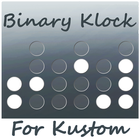
Binary Klock Komponent for Kustom
Features:
-Suppport 24 hour time format
-Option to turn off seconds
-Can change the color for both on and off indications for hours, minutes, and seconds independently
-Adjustable Height and Width
-Option to stylize with buttons
-Background and border options
-Option to clear through to the background for off indications
Installation:
1) Download and install the Kustom app
2) Change your screen wallpaper to a Live Wallpaper
3) Select Kustom
4) Tap the + button
5) Choose Komponent
6) Tap the down arrow
7) Choose kCalendar (will need pro version to add Komponents)
8) Choose Sunday or Monday komponent
9) Configure as desired
10) Tap the save button
11) Enjoy!!!
Last updated on 2016年03月22日
此版本包含小幅错误修复和常规改进。请更新至最新版本,以获得更佳体验。