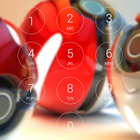
Lock screen with passcode security, iphone style and Pokeball HD background image.
- Iphone lock screen style.
- Set Passcode to unlock screen, enable/ disable passcode,
- Comprehensive settings for personalization.
- Highly simulate the Phone 6, 6s theme.
- Enable/ disable Sound.
How to Use:
1. Open the app settings, and tick the "Enable Screen" checkbox to enable it.
2. Click the "Disable Lockscreen System" in case you use the system lock.
3. Click the "Change Wallpaper" to switch to different beautiful backgrounds.
4. Tick the "Passcode" checkbox if pin mode is required.
Latest Version
1.01Uploaded by
Imad Ali Zebari
Requires Android
Android 4.0.3+
Category
Free Tools AppContent Rating
Everyone
Report
Flag as inappropriateLast updated on Mar 31, 2017
- Fix bugs




APKPure - A multi-platform app store primarily focused on Android, providing extensive app-related content. Discover the app you want easier, faster, and safer, with quick and efficient downloads and installations.












