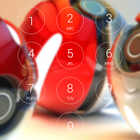
Lock screen with passcode security, iphone style and Pokeball HD background image.
- Iphone lock screen style.
- Set Passcode to unlock screen, enable/ disable passcode,
- Comprehensive settings for personalization.
- Highly simulate the Phone 6, 6s theme.
- Enable/ disable Sound.
How to Use:
1. Open the app settings, and tick the "Enable Screen" checkbox to enable it.
2. Click the "Disable Lockscreen System" in case you use the system lock.
3. Click the "Change Wallpaper" to switch to different beautiful backgrounds.
4. Tick the "Passcode" checkbox if pin mode is required.
آخرین نسخه
1.01بارگذاری شده توسط
Imad Ali Zebari
نیاز به اندروید
Android 4.0.3+
دسته بندی
رایگان برنامه ابزاررتبهبندی محتوا
Everyone
گزارش
گزارش محتوای نامناسبLast updated on 31/03/2017
- Fix bugs



APKPure - یک فروشگاه برنامه چند پلتفرمی که در درجه اول روی Android متمرکز شده و محتوای گسترده مربوط به برنامه را ارائه می دهد. برنامه مورد نظر خود را آسانتر ، سریعتر و ایمن تر با بارگیری و نصب سریع و کارآمد کشف کنید.










