Package Name:com.facebook.lite
SHA-256:05bcae441ca046f067485a32690369ad6ed715231b95bae412a6ee5fb2cc0dd0
Show More


Facebook Lite focuses on speed, data savings, and stability so you can keep up with friends and communities even with limited connectivity. It prioritizes fast loading and a smaller app size, which helps older and budget Android phones run smoothly. Moreover, the interface stays familiar, so you can browse your feed, check notifications, and interact without extra steps. In addition, the streamlined design of Facebook Lite reduces bandwidth use so everyday actions feel responsive on 2G and in areas with spotty coverage. Therefore, you can stay connected and manage your profile while conserving storage and mobile data.
Lightweight download and small footprint
Facebook Lite installs quickly and keeps storage use low. This helps your device stay responsive even if it has limited space. Moreover, updates are smaller, so maintenance is easier over time.
Lower data consumption
The app is optimized to use less mobile data during browsing, viewing photos, and refreshing your feed. Therefore, Facebook Lite supports users on tight data plans. In addition, background data usage is minimized to help control costs.
Reliable on slow or unstable networks
Facebook Lite is designed to function on 2G and in areas with an inconsistent signal. Pages load with minimal resources, so you can still read posts and stay informed. Also, actions such as posting and reacting continue to work even with limited bandwidth.
Works well on older and budget devices
The app runs smoothly on Android phones that struggle with heavier apps. Interface elements are simplified for speed and responsiveness. Moreover, performance remains steady when multitasking or using other utilities.
Essential Facebook tools remain available
You can post updates, share photos, comment, react, follow Pages, join Groups, and browse Marketplace. The layout of Facebook Lite keeps navigation clear, so routine tasks are easy to find. Therefore, you keep the familiar Facebook experience while using fewer resources.
Stay connected to local communities
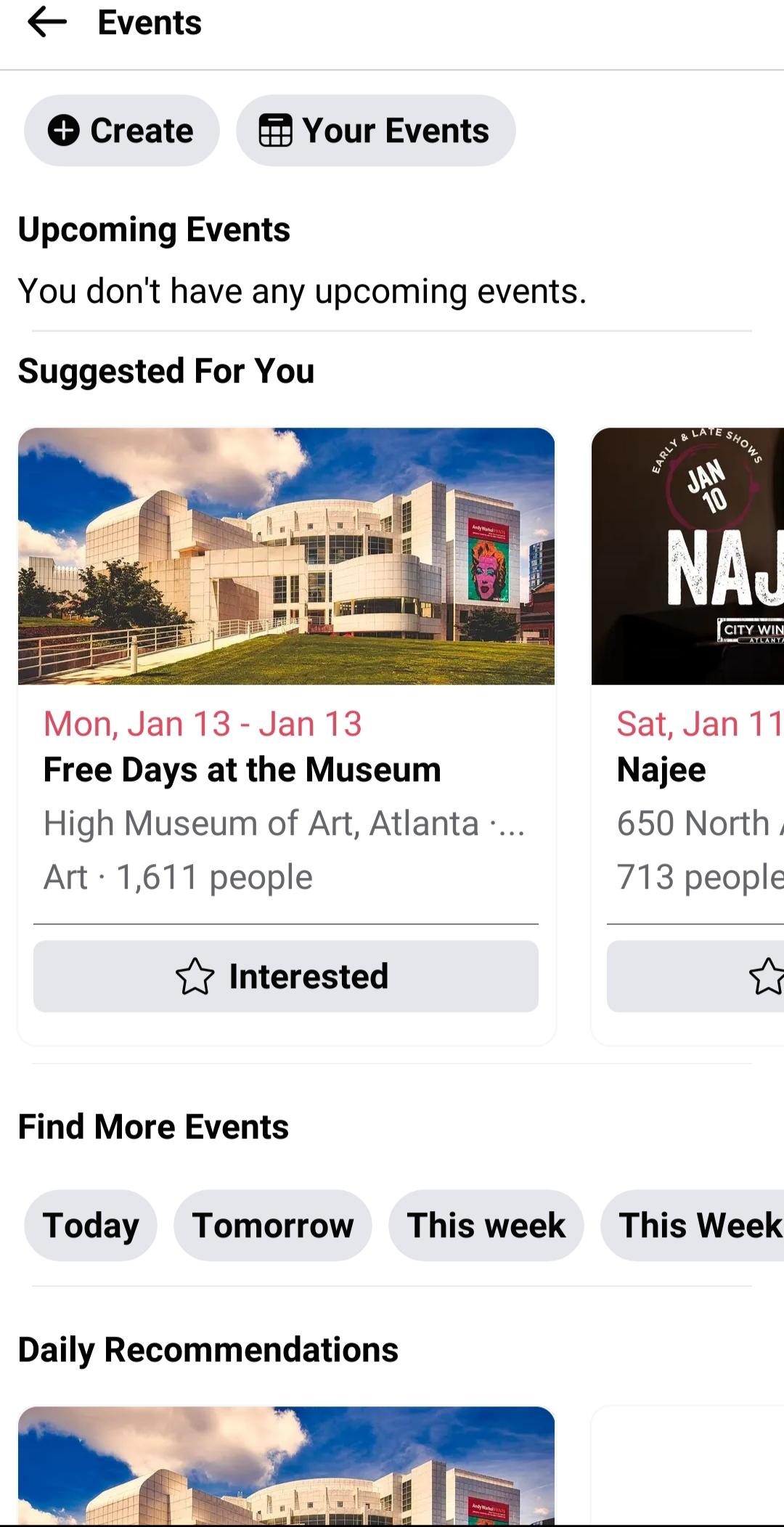
Find nearby events and businesses, manage your profile and albums, and get timely notifications. This makes it practical for local discovery when traveling or living in areas with limited coverage. In addition, alerts help you respond quickly to messages and posts.
Facebook Lite is practical if you rely on limited data plans or frequently move between areas with weak or unstable connections. Travelers, students, and users in rural regions can browse and post without heavy bandwidth use. In addition, anyone with older Android hardware can keep Facebook running smoothly without large updates or storage pressure.
You can sign in with your existing Facebook account, and your information stays synced across devices. Remember that Facebook services are available only to people aged 13 and older. In addition, you can manage privacy, security, and notification settings inside the app to match your preferences.
Follow this quick guide to download Facebook Lite, install it, and start browsing with less data. The process is simple and works well on both new and older Android phones.
Download Facebook Lite APK on APKPure. When the Facebook Lite APK download is completed, open the file from your notifications or file manager.
If prompted, allow your browser or file manager to install apps from this source. Then confirm the installation and wait for it to finish.
Open Facebook Lite and sign in with your existing account or create a new one. After logging in, review the feed and basic navigation.
Adjust data and media settings in the menu to reduce data use. Then choose notification preferences so alerts match your needs.
Create a post, share a photo, or join a Group to test core actions. So you can confirm everything works smoothly on your network.
Facebook Lite delivers the core Facebook experience with lower data use and strong performance on slow networks. Download Facebook Lite latest version from APKPure to install quickly and stay updated.
Official resources
Website: https://www.facebook.com/lite/
What is the difference between the Facebook and Facebook Lite?
Facebook Lite is a streamlined version that uses less data and storage while keeping essential Facebook features. The standard Facebook app includes more animations and richer media, which can require more bandwidth and space. If you need speed on older devices or slow networks, Facebook Lite for Android is the practical choice.
Is Facebook Lite free to use?
Yes, Facebook Lite is free to download and use. Standard data charges from your mobile provider may apply. You can reduce data usage in Facebook Lite by adjusting media and autoplay settings.
Latest Version
509.0.0.4.214Uploaded by
Jonagrace Perez Larayos
Requires Android
Android 8.0+
Category
Free Social AppContent Rating
Teen
Security Report
Check Now
Report
Flag as inappropriateLast updated on Apr 29, 2026
Minor bug fixes and improvements. Install or update to the newest version to check it out!






APKPure - A multi-platform app store primarily focused on Android, providing extensive app-related content. Discover the app you want easier, faster, and safer, with quick and efficient downloads and installations.