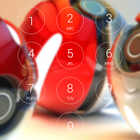
Lock screen with passcode security, iphone style and Pokeball HD background image.
- Iphone lock screen style.
- Set Passcode to unlock screen, enable/ disable passcode,
- Comprehensive settings for personalization.
- Highly simulate the Phone 6, 6s theme.
- Enable/ disable Sound.
How to Use:
1. Open the app settings, and tick the "Enable Screen" checkbox to enable it.
2. Click the "Disable Lockscreen System" in case you use the system lock.
3. Click the "Change Wallpaper" to switch to different beautiful backgrounds.
4. Tick the "Passcode" checkbox if pin mode is required.
Versi Terbaru
1.01Dimuat naik oleh
Imad Ali Zebari
Memerlukan Android
Android 4.0.3+
Category
PERCUMA Alatan APLIKASIPenilaian Kandungan
Everyone
Laporkan
Tandai sebagai tidak sesuaiLast updated on Mar 31, 2017
- Fix bugs



APKPure - Sebuah gedung aplikasi berbilang platform yang tertumpu terutamanya pada Android, menyediakan kandungan berkaitan aplikasi yang meluas. Temui aplikasi yang anda mahukan dengan lebih mudah, pantas, dan selamat, dengan muat turun dan pemasangan yang cepat dan cekap.