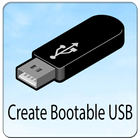
To Create a bootable USB drive , well use the Command Prompt as a default program. Listed below are step by step to create a
bootable USB drive as the Drive installation media. To create a bootable USB drive as a computer installation media, we need at least 4 GB for minimal capacity.
Bigger capability is better. At this time, I utilize the USB flash drive with 2 GB of power as just an example.
Its due to some reasons that my 4 GB flash drive struck an unusual problem that I have to fix later.
The first steps is to prepare the USB pendrive drive by using DiskPart, which is a command-line utility.
Phiên bản mới nhất
7.0Được tải lên bởi
အတိတ္
Yêu cầu Android
Android 4.4+
Danh mục
Miễn phí Giáo dục ỨNG DỤNGXếp hạng nội dung
Everyone
Báo cáo
Gắn cờ là không phù hợpLast updated on Sep 2, 2020
Phiên bản này bao gồm các bản sửa lỗi nhỏ và cải tiến chung. Hãy cập nhật lên phiên bản mới nhất để có trải nghiệm tốt nhất.



APKPure - Kho ứng dụng đa nền tảng chủ yếu tập trung vào Android, cung cấp nội dung phong phú về ứng dụng. Khám phá ứng dụng bạn muốn dễ dàng, nhanh chóng và an toàn hơn, với tính năng tải xuống và cài đặt nhanh chóng và hiệu quả.