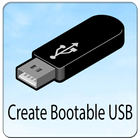
To Create a bootable USB drive , well use the Command Prompt as a default program. Listed below are step by step to create a
bootable USB drive as the Drive installation media. To create a bootable USB drive as a computer installation media, we need at least 4 GB for minimal capacity.
Bigger capability is better. At this time, I utilize the USB flash drive with 2 GB of power as just an example.
Its due to some reasons that my 4 GB flash drive struck an unusual problem that I have to fix later.
The first steps is to prepare the USB pendrive drive by using DiskPart, which is a command-line utility.
Última versão
7.0Enviado por
အတိတ္
Requer Android
Android 4.4+
Categoria
Grátis Educação APPClassificação do Conteúdo
Everyone
Relatório
Marcar como inapropriadoLast updated on Sep 2, 2020
Esta versão inclui pequenas correções de bugs e melhorias gerais. Atualize para a versão mais recente e tenha a melhor experiência.



APKPure - Uma loja de aplicativos multiplataforma focada principalmente em Android, fornecendo extenso conteúdo relacionado a apps. Descubra o aplicativo que você deseja de forma mais fácil, rápida e segura, com downloads e instalações rápidos e eficientes.