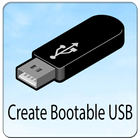
To Create a bootable USB drive , well use the Command Prompt as a default program. Listed below are step by step to create a
bootable USB drive as the Drive installation media. To create a bootable USB drive as a computer installation media, we need at least 4 GB for minimal capacity.
Bigger capability is better. At this time, I utilize the USB flash drive with 2 GB of power as just an example.
Its due to some reasons that my 4 GB flash drive struck an unusual problem that I have to fix later.
The first steps is to prepare the USB pendrive drive by using DiskPart, which is a command-line utility.
Laatste Versie
7.0Geüpload door
အတိတ္
Android vereist
Android 4.4+
Categorie
Gratis Onderwijs APPInhoudsbeoordeling
Everyone
Melden
Rapporteer als ongepastLast updated on Sep 2, 2020
Deze versie bevat kleine bugfixes en algemene verbeteringen. Werk bij naar de nieuwste versie voor de beste ervaring.



APKPure - Een multi-platform appstore die zich voornamelijk richt op Android en uitgebreide app-gerelateerde content biedt. Ontdek de app die je wilt, eenvoudiger, sneller en veiliger, met snelle en efficiënte downloads en installaties.