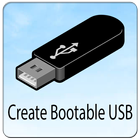
To Create a bootable USB drive , well use the Command Prompt as a default program. Listed below are step by step to create a
bootable USB drive as the Drive installation media. To create a bootable USB drive as a computer installation media, we need at least 4 GB for minimal capacity.
Bigger capability is better. At this time, I utilize the USB flash drive with 2 GB of power as just an example.
Its due to some reasons that my 4 GB flash drive struck an unusual problem that I have to fix later.
The first steps is to prepare the USB pendrive drive by using DiskPart, which is a command-line utility.
Versi Terbaru
7.0Dimuat naik oleh
အတိတ္
Memerlukan Android
Android 4.4+
Category
PERCUMA Pendidikan APLIKASIPenilaian Kandungan
Everyone
Laporkan
Tandai sebagai tidak sesuaiLast updated on Sep 2, 2020
Versi ini mengandungi pembaikan pepijat kecil dan penambahbaikan umum. Kemas kini kepada versi terkini untuk pengalaman terbaik.



APKPure - Sebuah gedung aplikasi berbilang platform yang tertumpu terutamanya pada Android, menyediakan kandungan berkaitan aplikasi yang meluas. Temui aplikasi yang anda mahukan dengan lebih mudah, pantas, dan selamat, dengan muat turun dan pemasangan yang cepat dan cekap.