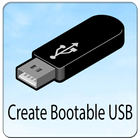
To Create a bootable USB drive , well use the Command Prompt as a default program. Listed below are step by step to create a
bootable USB drive as the Drive installation media. To create a bootable USB drive as a computer installation media, we need at least 4 GB for minimal capacity.
Bigger capability is better. At this time, I utilize the USB flash drive with 2 GB of power as just an example.
Its due to some reasons that my 4 GB flash drive struck an unusual problem that I have to fix later.
The first steps is to prepare the USB pendrive drive by using DiskPart, which is a command-line utility.
नवीनतम संस्करण
7.0द्वारा डाली गई
အတိတ္
Android ज़रूरी है
Android 4.4+
श्रेणी
फ्री शिक्षा ऐपकॉन्टेंट रेटिंग
Everyone
Last updated on Sep 2, 2020
इस वर्शन में मामूली बग फ़िक्स और सामान्य सुधार शामिल हैं। बेहतर अनुभव के लिए नवीनतम वर्शन पर अपडेट करें।



APKPure - एक मल्टी-प्लेटफॉर्म ऐप स्टोर जो मुख्य रूप से Android पर केंद्रित है, जो व्यापक ऐप-संबंधित सामग्री प्रदान करता है। त्वरित और कुशल डाउनलोड और इंस्टॉलेशन के साथ आसानी से, तेजी से और सुरक्षित तरीके से अपना मनचाहा ऐप खोजें।