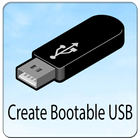
To Create a bootable USB drive , well use the Command Prompt as a default program. Listed below are step by step to create a
bootable USB drive as the Drive installation media. To create a bootable USB drive as a computer installation media, we need at least 4 GB for minimal capacity.
Bigger capability is better. At this time, I utilize the USB flash drive with 2 GB of power as just an example.
Its due to some reasons that my 4 GB flash drive struck an unusual problem that I have to fix later.
The first steps is to prepare the USB pendrive drive by using DiskPart, which is a command-line utility.
সাম্প্রতিক সংস্করণ
7.0আপলোড
အတိတ္
Android প্রয়োজন
Android 4.4+
সামগ্রীর রেটিং
Everyone
রিপোর্ট করুন
অনুপযুক্ত হিসাবে ফ্ল্যাগ করুনLast updated on Sep 2, 2020
এই সংস্করণে ছোটখাটো বাগ ফিক্স ও সাধারণ উন্নতি রয়েছে। সেরা অভিজ্ঞতার জন্য সর্বশেষ সংস্করণে আপডেট করুন।



APKPure - একটি মাল্টি-প্ল্যাটফর্ম অ্যাপ স্টোর যা মূলত অ্যান্ড্রয়েডের উপর ফোকাস করে, বিস্তৃত অ্যাপ-সংক্রান্ত কন্টেন্ট প্রদান করে। দ্রুত এবং দক্ষ ডাউনলোড ও ইনস্টলেশনের মাধ্যমে আপনার কাঙ্ক্ষিত অ্যাপটি আরও সহজে, দ্রুত এবং নিরাপদে আবিষ্কার করুন।