Scan Date:Apr 7, 2026
Show More


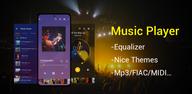
Music Player suits users who keep songs on their phone and want a simple way to listen without the internet. It focuses on your own library, so you can browse and play what you already have with minimal setup. When you download Music Player, the experience centers on quick access and clear controls, which helps during daily routines like commuting or workouts. As a result, the app stays lightweight and straightforward, making local listening easy for beginners and experienced listeners alike.
Wide format support
Music Player handles common and high quality audio formats, including MP3, WAV, FLAC, AAC, APE, and MIDI. This range is useful if your library mixes old rips and newer lossless files. You can keep everything in one place without converting tracks, and playback remains consistent across different formats.
Built in equalizer and effects
The app includes a customizable equalizer with bass boost and reverb effects, so you can fine tune the sound for your headphones or speakers. Adjust presets or move sliders to match your preference. This tool is practical for small speakers or quiet environments where a bit more presence helps.
Offline playback modes
Music Player works without Wi Fi and uses local files only. You can play songs in shuffle, in order, or loop a single track for focus sessions. This keeps listening reliable in places where the network is slow or unavailable.
Smart library and fast search
After a quick scan of your device, Music Player organizes songs by artists, albums, folders, and playlists. You can jump to what you need through a keyword search instead of scrolling through long lists. This structure makes it easier to manage large libraries and find tracks quickly.
Personalization and handy tools
Choose color themes to match your style and control playback from the lock screen or notifications. A home screen widget offers quick access to play or pause without opening the app. You can also create favorites and custom playlists, set a track as your ringtone, and use the sleep timer to stop playback at bedtime.
Music Player is a local playback app and does not stream or download songs from the internet. It reads audio files stored on your phone or SD card and plays them offline. To prepare, make sure your music is saved to device storage and organized in folders you can recognize. For personal use, import music you own from legal sources, such as purchased files or recordings you created.
Good file organization helps Music Player scan and sort your songs accurately. Group albums in separate folders and keep consistent names for artists and tracks. If your files include tags like title, album, and artist, searching becomes faster and results are cleaner. For lossless collections, formats like FLAC and APE are supported, which suits listeners who prefer high fidelity playback in an offline music player.
After you open the Music Player latest version, the app scans your device and builds your library. You will see songs organized by artists, albums, folders, and playlists, which makes navigation simple.
Music Player keeps local listening simple with broad format support, useful playback modes, and practical controls. If you prefer a straightforward MP3 player that works offline, this app fits daily use without extra steps. For easy installation, get the Music Player APK and begin organizing your library.
For support or feedback, contact the developer using the information below.
Latest Version
4.2.2.185Uploaded by
Ryan Sanchez
Requires Android
Android 6.0+
Category
Free Music & Audio AppContent Rating
Everyone
Security Report
Report
Flag as inappropriateLast updated on Apr 7, 2026
Minor bug fixes and improvements. Install or update to the newest version to check it out!




APKPure - A multi-platform app store primarily focused on Android, providing extensive app-related content. Discover the app you want easier, faster, and safer, with quick and efficient downloads and installations.