Welcome to DJ Music Mixer - Your Mobile Music Studio. This fast and easy-to-use pocket-sized DJ app has all the necessary tools for creating beats, remixes, and playing DJ. Let’s unleash your musical talent and have fun at the same time. 🎧
❤️🔥 What does DJ Music Mixer have to offer? ❤️🔥
DJ turntable magic
Offline music player
Dynamic drum pad fun
Quick music production
Personalized soundtracks
Therapeutic music creation
Beat maker and music recorder
Intuitive interface
What makes DJ Music Mixer stand out?
🎵 Become the DJ Pro
Load your favorite tracks
Adjust the sound with the easy-to-use music equalizer
Seamlessly transition between songs using the crossfader
Synth beats from different genres to create your signature sound
🥁 Tap into Your Rhythmic Side
Experiment with various drums and percussion instruments by tapping on the virtual scratchpad
Create ambient beats that elevate your music to new heights
Bring your beats to life with the drum machine - your personal percussion playground
🎹 Be a Beat Maker Pro
Choose from different musical instruments like bass, pads, leads, and APR to craft diverse beats
Customize your sound, adjust tempo, and layer instruments to compose your musical masterpiece
Reflect your unique musical identity by creating tunes with the beat creator function
💽 Record Music and Share Your Sounds
Record your DJ mix or beatmaker creations
Share your music recording with friends and family
Turn your creativity into shareable magic
🚀 How to use the app’s DJ board 🚀
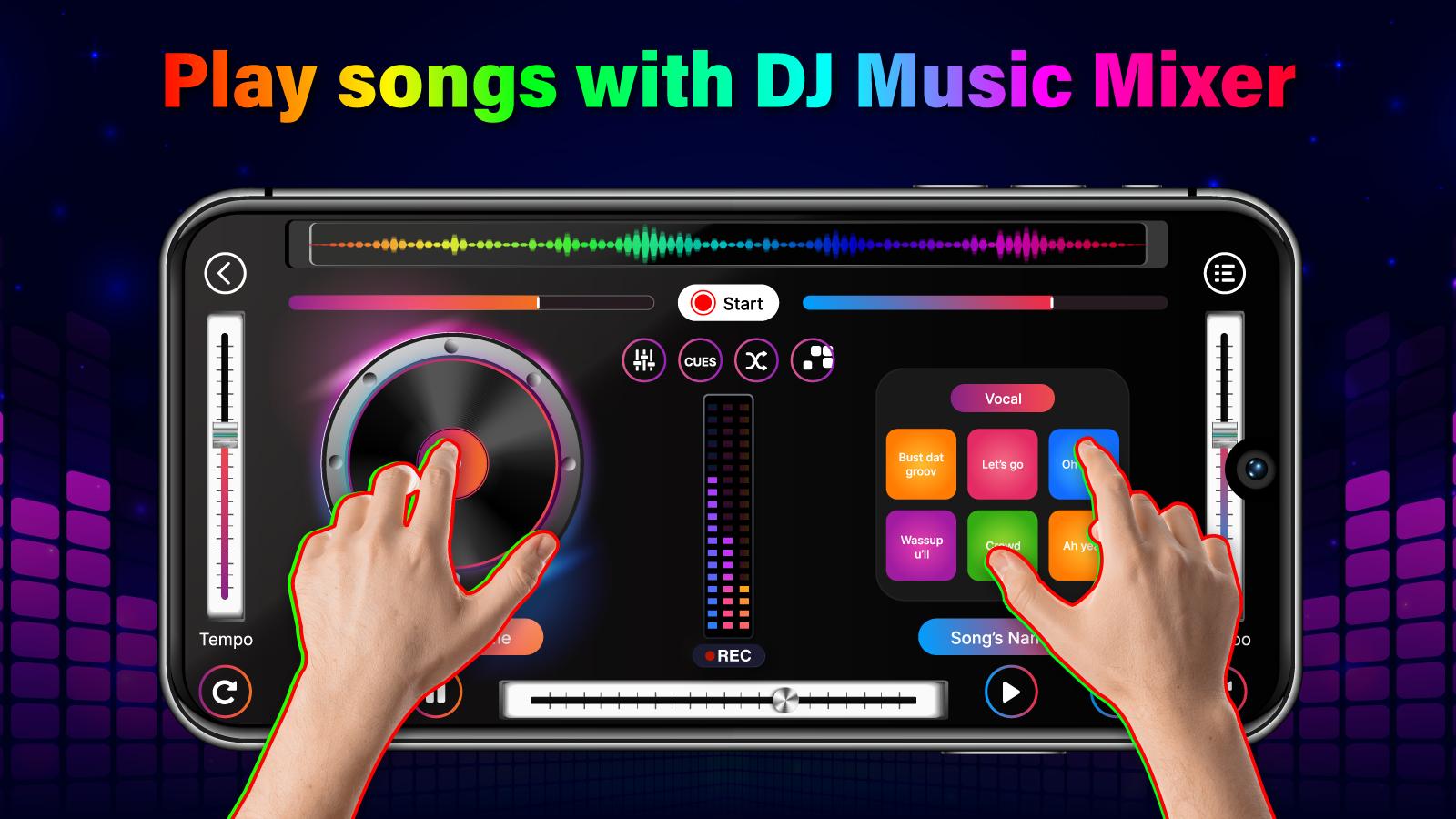
Familiarize yourself with elements such as virtual turntable, volume controls, pitch sliders, crossfader and play/pause buttons. Then:
Select a track
Use crossfader
Adjust pitch & tempo
Add sound effects: filters, echoes, etc.
🤲 How to use the Beat Creator feature 🤲
Select a beat template
Add instruments
Adjust beats and tempo
Layer instruments
Use the drum pad
Add effects
Loop and arrange
Hit the record button and start playing instruments, singing, or capturing any audio you want to include in your composition.
The DJ Music Mixer app is your passport to a world of musical possibilities. With the DJ studio, dynamic drum machine, and versatile beatmaker, you have the tools to play music like a pioneer DJ and create beats that resonate with your unique style. Try it now and let your musical journey begin! 🌟
Latest Version
1.0.8Uploaded by
ឌីម សីុន ធូ
Requires Android
Android 7.0+
Category
Free Music & Audio AppContent Rating
Everyone
Report
Flag as inappropriateLast updated on Jul 11, 2024
Becoming a pro with our DJ Mix Studio




APKPure - A multi-platform app store primarily focused on Android, providing extensive app-related content. Discover the app you want easier, faster, and safer, with quick and efficient downloads and installations.