Scan Date:Mar 31, 2026
Show More


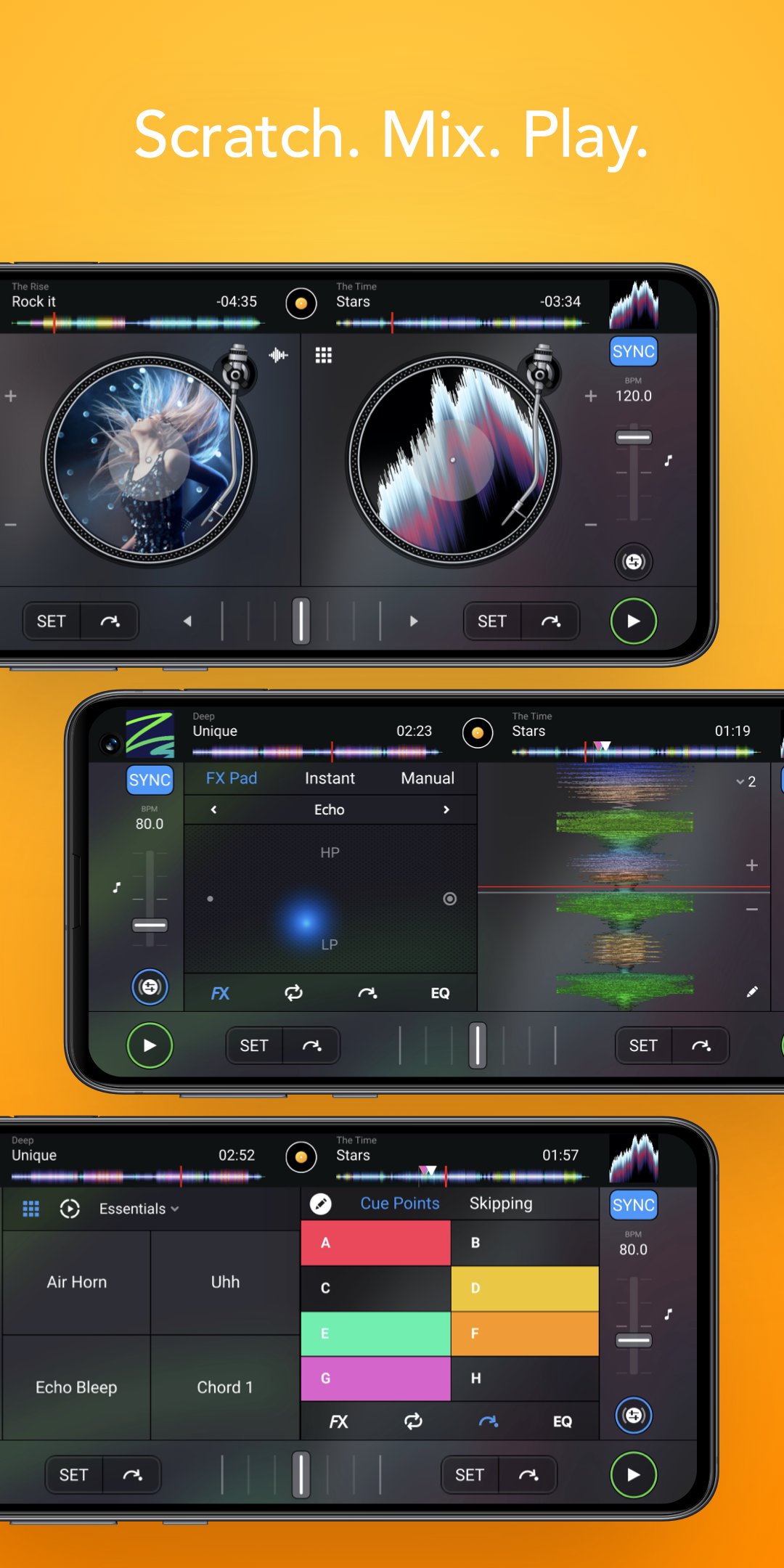
djay helps you handle party playlists, practice transitions, and perform quick sets directly on your phone. It brings track access and mixing controls into a clear layout, so you can choose songs, manage levels, and move between tracks with confidence. As you prepare a set, the interface makes common tasks straightforward, which helps you focus on timing and flow. Whether you use streaming services or local files, djay fits both approaches. When ready, install the djay APK and start mixing.
djay connects to multiple music services, including Spotify Premium, Apple Music, TIDAL with the DJ extension, SoundCloud Go Plus, Beatport, and Beatsource. You can also play local files if your music is stored on the device. In addition, a free djay Music catalog offers DJ ready tracks and curated genres, which helps when you need reliable material quickly.
Automix for hands-off transitionsdjay includes Automix to keep the music playing while you manage the room or handle requests. The system detects intros and outros, then applies beat matched transitions to move between songs. You can set transition length and adjust basic parameters, which makes it suitable for background music or small gatherings.
Neural Mix stems for creative editsWith Neural Mix, djay can separate vocals, drums, and instruments from a track in real time. You can mute or solo a stem, then blend elements from different songs to build mashups or create clean mixes. This tool invites experimentation while still keeping the rest of the deck controls accessible.
Remix tools for performancedjay provides a Live Sequencer and a Looper with up to forty eight loops per deck. You can trigger beat matched samples and use the built-in library of loops and samples to add rhythmic layers. These tools help you shape transitions or fill breaks without stopping the main mix.
Audio engine and effectsdjay offers key lock, time stretching, and pitch shift to maintain musical feel at different tempos. You get a mixer with filter and EQ, over fifty audio effects, crossfader effects, cue points, looping, auto BPM and key detection, auto gain, and colored waveforms. These controls support precise adjustments so you can move from one song to the next smoothly.
Using streaming services in djay requires a supported subscription and a stable internet connection. Recording streamed songs is not available, and some tracks may be restricted based on region or account settings. Neural Mix cannot be used when streaming from Apple Music or Spotify, so stems are limited to local files or other compatible sources.
djay PRO is an optional subscription from Algoriddim. One subscription works across Mac, Windows, iOS, Android, and Vision Pro and unlocks all PRO features along with over one thousand loops, samples, and visuals. This is helpful if you use multiple devices and want the same tools and content everywhere.
djay includes DJ School tutorials designed for beginners and improving users. These guides explain core techniques like cueing, beat matching, and performance workflows. You can also explore the free djay Music catalog for DJ ready tracks and trending genres to practice or build warm up sets.
This guide outlines basic setup, Automix for parties, and pre cueing with split output. To begin, download djay and launch the app on your phone.
djay turns your Android phone into a practical DJ workstation for parties, practice, and quick performances. To get started, install the djay latest version and load your preferred music sources.
For official information and support from the developer, visit:
Latest Version
5.6.4Uploaded by
Elngam Mohammed Freid
Requires Android
Android 10.0+
Category
Free Music & Audio AppContent Rating
Everyone
Security Report
Report
Flag as inappropriateLast updated on Mar 31, 2026
• Fixed an error when loading Scratch Tools





APKPure - A multi-platform app store primarily focused on Android, providing extensive app-related content. Discover the app you want easier, faster, and safer, with quick and efficient downloads and installations.