Try pro version has ctrl and alt key support!
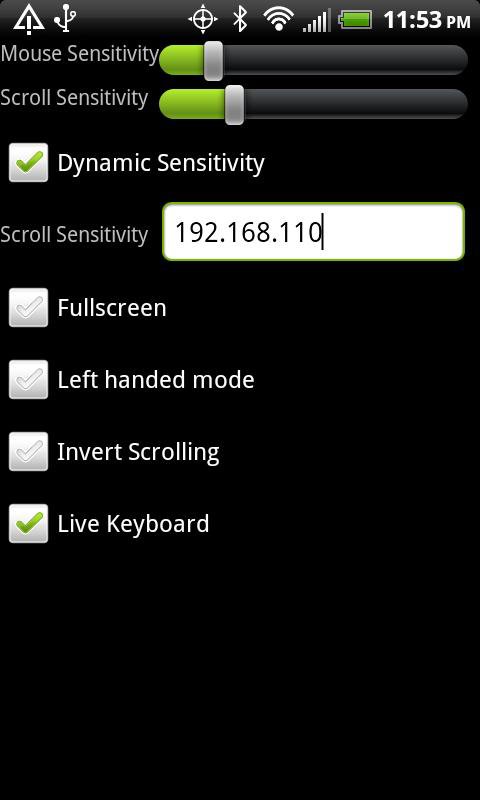
Use your Android as a remote mouse/keyboard for your PC or Mac. Simply install the 'Logitech Touch Mouse Server' on your computer. Then enter your computer's name or IP address in the settings menu of Airborne Mouse.
Download Logitech's Touch Mouse Server from:
http://tinyurl.com/logicborn
Tweet feedback to @jmaxxz with the hashtag #airborne
Or leave a comment at http://tinyurl.com/airfeedback
Tips:
*Turn down the mouse sensitivity to make dynamic sensitivity more useful.
*Play with the sensitivity settings if the mouse feels jumpy
*Use two fingers to scroll
*Tap with two fingers to right click
*Be sure to set your computer's Name/IP in settings
Latest Version
2.0.2Uploaded by
Tuấn Nguyễn
Requires Android
Android 2.1+
Category
Free Tools AppContent Rating
Everyone
Report
Flag as inappropriateLast updated on Jan 25, 2016
*Added auto discovery of computer
*improved support for hardware keyboards
*Improved settings screen
*Added change server menu option
*Fixed connection issues
*Only servers which work are put in history
*Fixed bug with wifi dialog
*New reconnect icon



APKPure - A multi-platform app store primarily focused on Android, providing extensive app-related content. Discover the app you want easier, faster, and safer, with quick and efficient downloads and installations.














