Scan Date:Mar 18, 2024
Show More


Soft Keys - Home Back Button helps when hardware buttons are broken, hidden, or inconvenient to reach. It provides an on-screen bar for basic navigation so you can move through apps without relying on physical keys. Setup does not require root and runs through Android Accessibility controls, which keeps the process simple. The Soft Keys - Home Back Button APK focuses on core navigation in a lightweight package, making it a practical choice for everyday use without extra complexity.
No-root virtual Home and Back keys
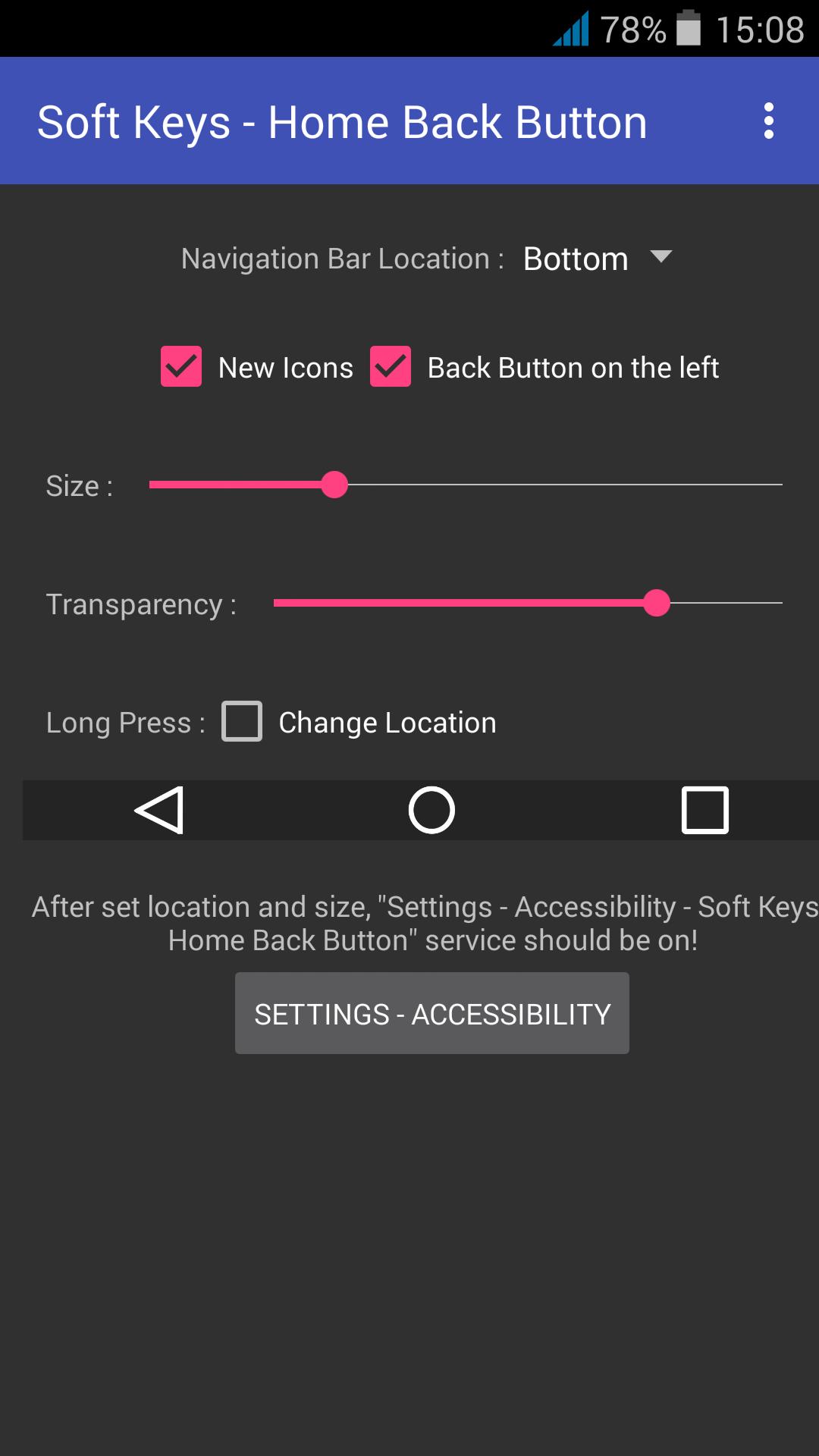
Soft Keys - Home Back Button adds virtual Home and Back controls that sit on top of your screen. It uses Android’s Accessibility framework to display the bar, so you can start using it without rooting your device.
Guided setup through Accessibility
The app walks you through enabling its service in Settings. Clear prompts and simple steps reduce confusion, and you can complete the initial configuration in a short time.
Adjustable position and size
You can place the navigation bar where it feels most comfortable and adjust its height to match your grip. This flexibility helps you avoid covering important controls in your apps while keeping the keys within easy reach.
Reliable fallback for broken or hidden keys
If your device’s hardware buttons are unresponsive or hidden by a fullscreen app, the on-screen bar gives you consistent access to navigation. It works across phones and tablets, offering a quick way to keep using your device normally.
Lightweight, free, and open source
The app is small in size to keep storage impact low. It is free to use and open source, giving interested users a way to review or contribute to the codebase.
Soft Keys - Home Back Button relies on Android Accessibility services solely to show on-screen navigation controls. The permission is required to draw the navigation bar over apps and does not involve root access. This focused use of Accessibility helps the app deliver its function while keeping configuration straightforward.
This original release centers on simple, dependable navigation with minimal options. Users who want more customization and icon themes can look into the developer’s newer project, Soft Keys 2 - Home Back Button, while keeping in mind that the core app here remains a stable, lightweight choice for basic needs.
The APK has been scanned with VirusTotal and reported clean at the time of review. This check includes common threats such as viruses, spyware, and malware. Results can change as scanners update over time, so users may perform their own scan if extra assurance is desired.
After you download Soft Keys - Home Back Button and install it, setup takes only a few steps. The process uses your device’s Accessibility settings, and the app provides prompts that guide you through each part.
Soft Keys - Home Back Button adds practical on-screen Home and Back controls for devices with broken or inconvenient hardware keys. Install the Soft Keys - Home Back Button latest version to set up a lightweight navigation bar with clear guidance and no root required.
For reference and source code, see the official project page:
Latest Version
4.0Uploaded by
Misfit Lis
Requires Android
Android 4.1+
Category
Free Tools AppContent Rating
Everyone
Security Report
Report
Flag as inappropriateLast updated on Aug 10, 2017
New Version is Out !
https://play.google.com/store/apps/details?id=com.dogusumit.softkeys2




APKPure - A multi-platform app store primarily focused on Android, providing extensive app-related content. Discover the app you want easier, faster, and safer, with quick and efficient downloads and installations.