
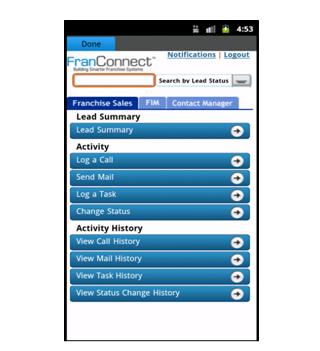
FranConnect Mobile application allows user to manage and view FranConnect notifications on the mobile.
To configure FranConnect Mobile for the first time, enter your FranConnect Application credentials (Login Id, Password and Buildcode) in their respective fields.
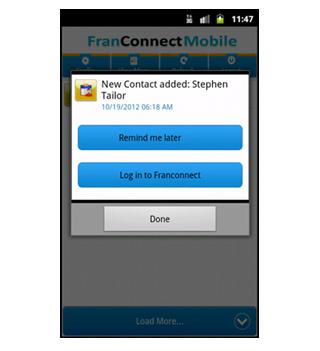
Click on the Config button to get an auto update for Notifications, click on the Refresh button to get the Notifications in real time and to view all the Notifications you can click on the View More button.
You can click on any Notification and set it to "Remind me Later", which will remind you later at that particular time.
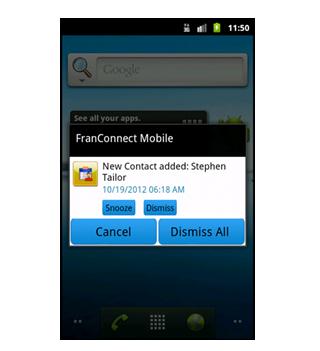
User can snooze or dismiss the particular or all the notifications
Phiên bản mới nhất
1.2Được tải lên bởi
Eduardo Villalta
Yêu cầu Android
Danh mục
Miễn phí Doanh nghiệp ỨNG DỤNGXếp hạng nội dung
Unrated · Warning – content has not yet been rated. Unrated apps may potentially contain content appropriate for mature audiences only.
Báo cáo
Gắn cờ là không phù hợpLast updated on Jul 30, 2016
Phiên bản này bao gồm các bản sửa lỗi nhỏ và cải tiến chung. Hãy cập nhật lên phiên bản mới nhất để có trải nghiệm tốt nhất.




APKPure - Kho ứng dụng đa nền tảng chủ yếu tập trung vào Android, cung cấp nội dung phong phú về ứng dụng. Khám phá ứng dụng bạn muốn dễ dàng, nhanh chóng và an toàn hơn, với tính năng tải xuống và cài đặt nhanh chóng và hiệu quả.