
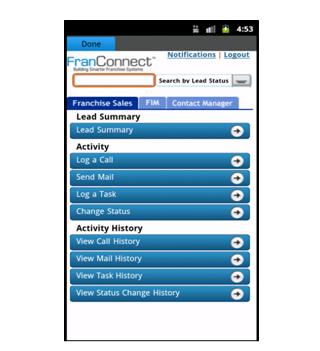
FranConnect Mobile application allows user to manage and view FranConnect notifications on the mobile.
To configure FranConnect Mobile for the first time, enter your FranConnect Application credentials (Login Id, Password and Buildcode) in their respective fields.
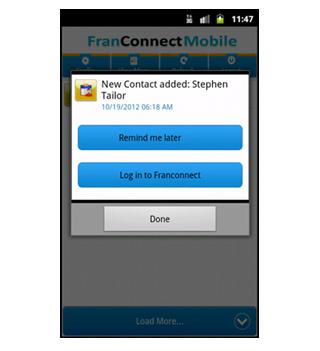
Click on the Config button to get an auto update for Notifications, click on the Refresh button to get the Notifications in real time and to view all the Notifications you can click on the View More button.
You can click on any Notification and set it to "Remind me Later", which will remind you later at that particular time.
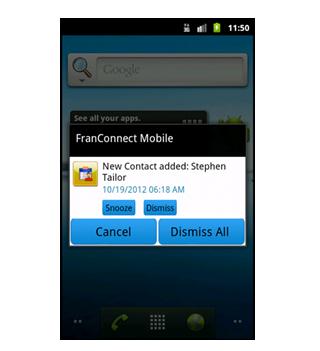
User can snooze or dismiss the particular or all the notifications
Последняя версия
1.2Загрузил
Eduardo Villalta
Требуемая версия Android
Категория
Бесплатно Бизнес ПриложениеВозрастные ограничения
Unrated · Warning – content has not yet been rated. Unrated apps may potentially contain content appropriate for mature audiences only.
Жаловаться
Сообщить о неприемлемом содержанииLast updated on 30/07/2016
В этой версии исправлены мелкие ошибки и внесены общие улучшения. Обновите приложение до последней версии для максимального удобства.




APKPure - Мультиплатформенный магазин приложений, в основном ориентированный на Android, предоставляющий обширный контент, связанный с приложениями. Находите нужные приложения проще, быстрее и безопаснее, с быстрой и эффективной загрузкой и установкой.