
Package Name:com.rsupport.rs.activity.lguplus2
SHA-256:bb6c52e54bc10c26a6e7ce8f22dc9216f98100dea0a490f3f57ffd02116726ae
Show More
● Introduction to U+ Remote Consultation App
- U+ Remote Consultation Service is a customer satisfaction service of LG U+ where LG U+ expert consultants share the customer's smartphone screen to provide guidance on using U+ services and accurately diagnose problems and resolve them in real time.
- U+ customers can use the U+ Remote Consultation Service for free without worrying about fees. However, for customers of other telecommunication companies, data usage fees may apply when connecting to 4G and LTE (depending on the rate plan), so we recommend using it in places where Wi-Fi is available.
● Main functions
1. Screen sharing: Expert consultants check the customer's smartphone screen in real time and accurately diagnose problems.
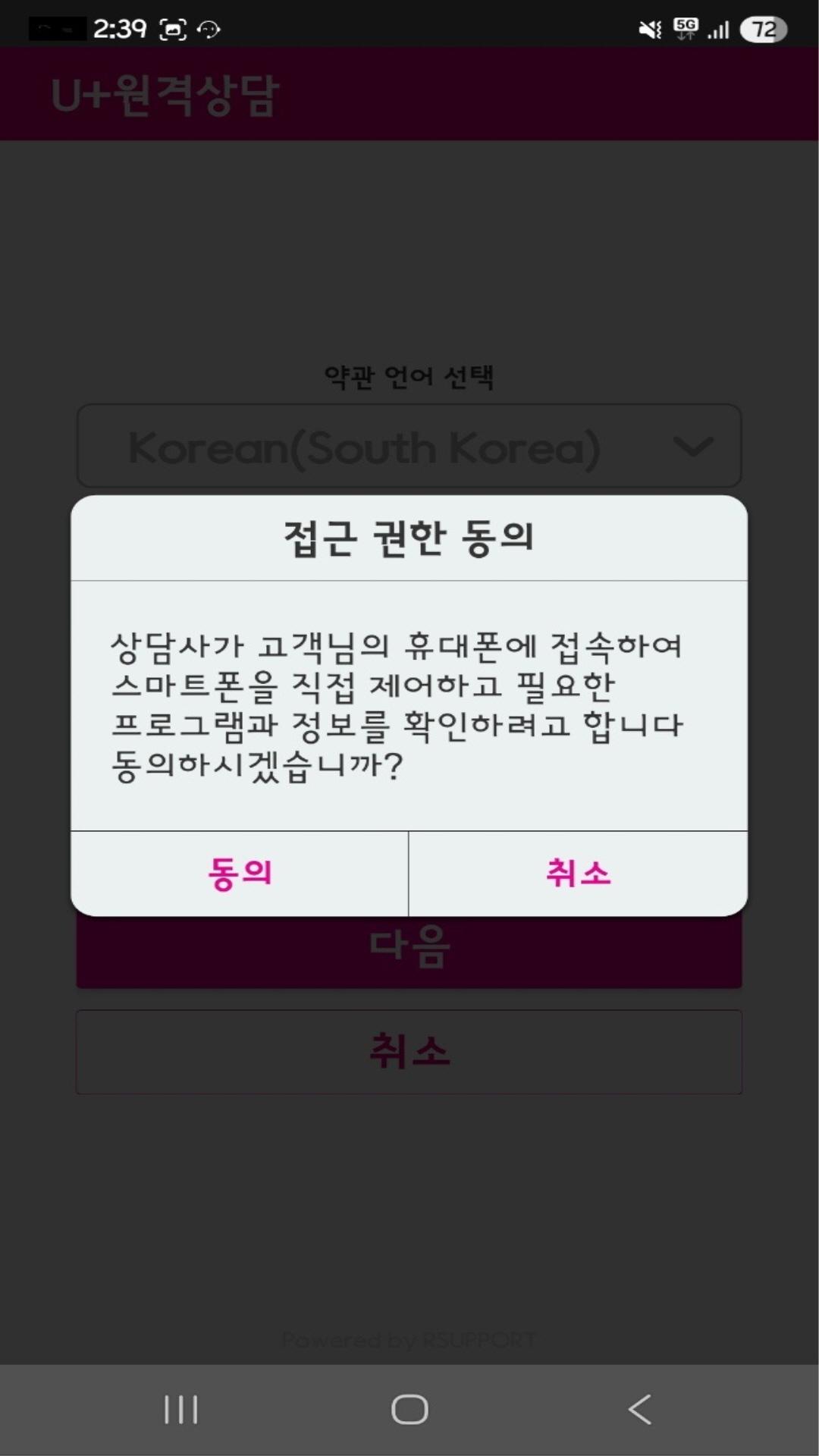
2. Remote control: Expert consultants connect to the customer's smartphone and remotely control it to guide usage and directly resolve problems.
3. Drawing: Expert consultants provide easy-to-understand guidance by drawing arrows, underlining, etc. on the customer's smartphone screen.
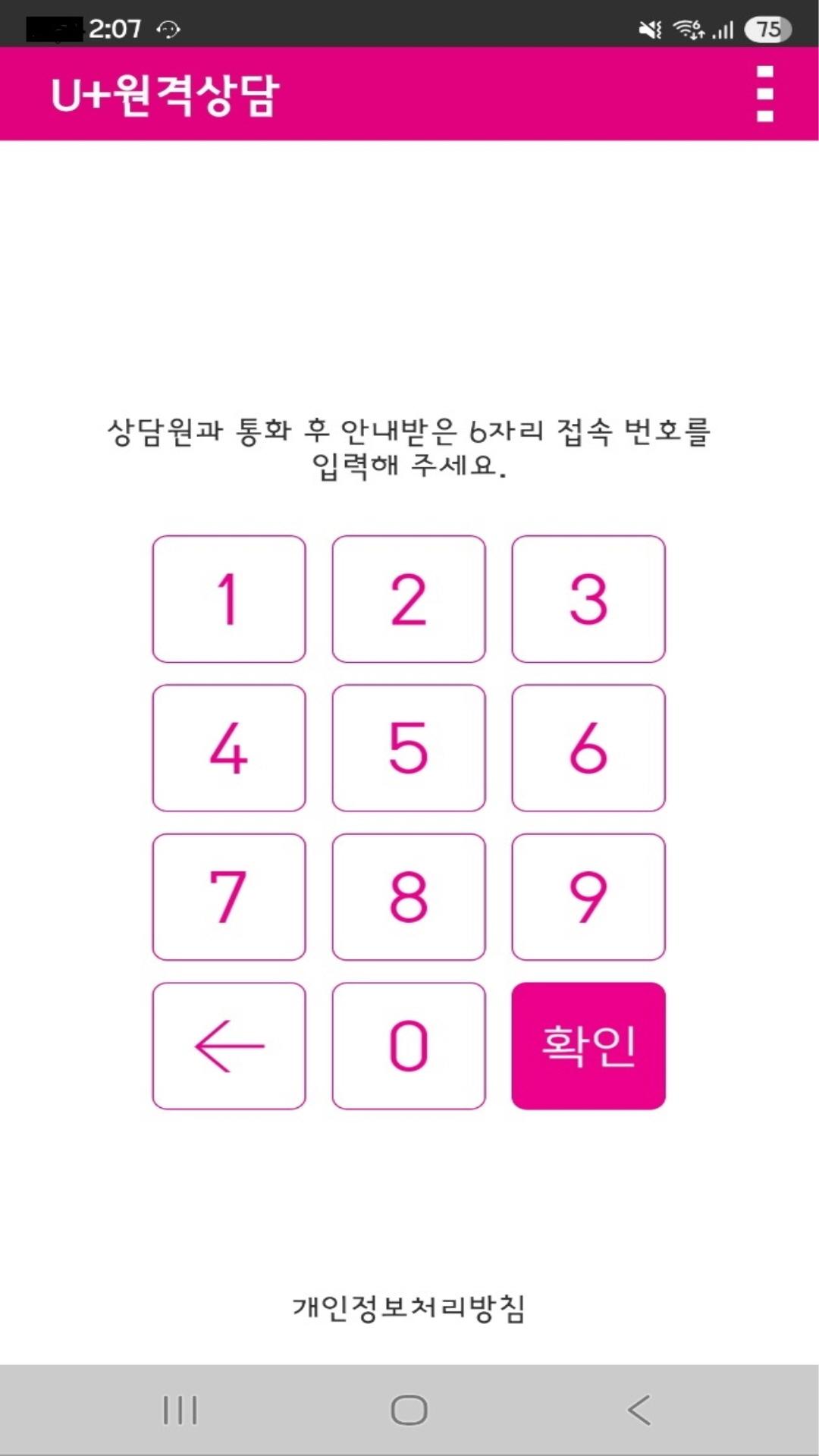
4. Easy connection: After talking to the expert consultant, you can easily use the service with just the 6-digit connection number provided by the consultant.
● Easy usage method
1-1. Install the U+ remote consultation app from the Google Play Store.
1-2. Install the Plugin:RSAssistant app from the Google Play Store.
2. Call the LG U+ Customer Center (☎101 without area code).
3. Run the U+ remote consultation app and enter the 6-digit access number you received from the counselor.
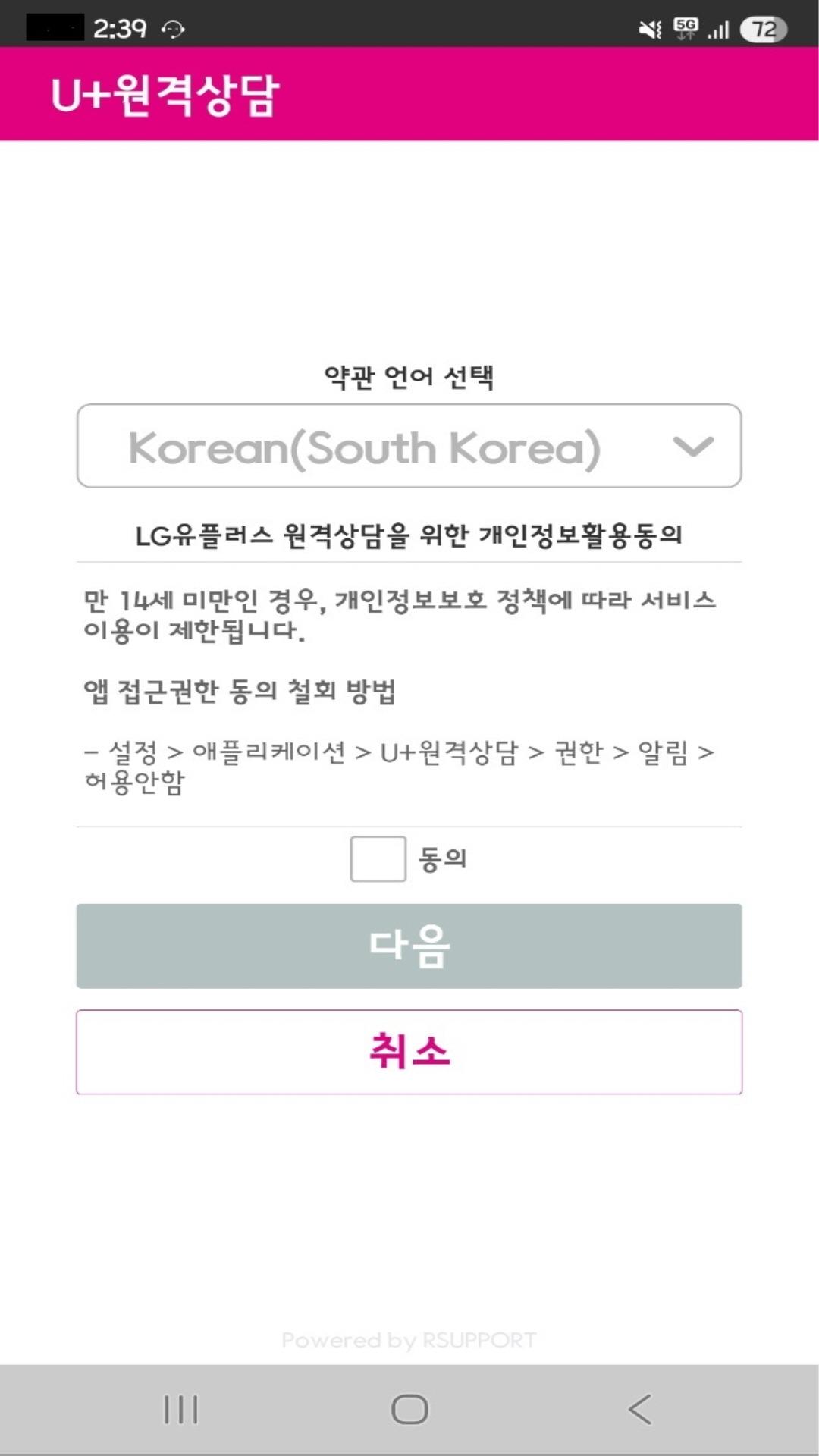
4. After agreeing to the terms and conditions, request remote access from a professional counselor.
5. After remote connection, a professional counselor will remotely diagnose, guide you on how to use, and resolve the issue.
● Access permission guide
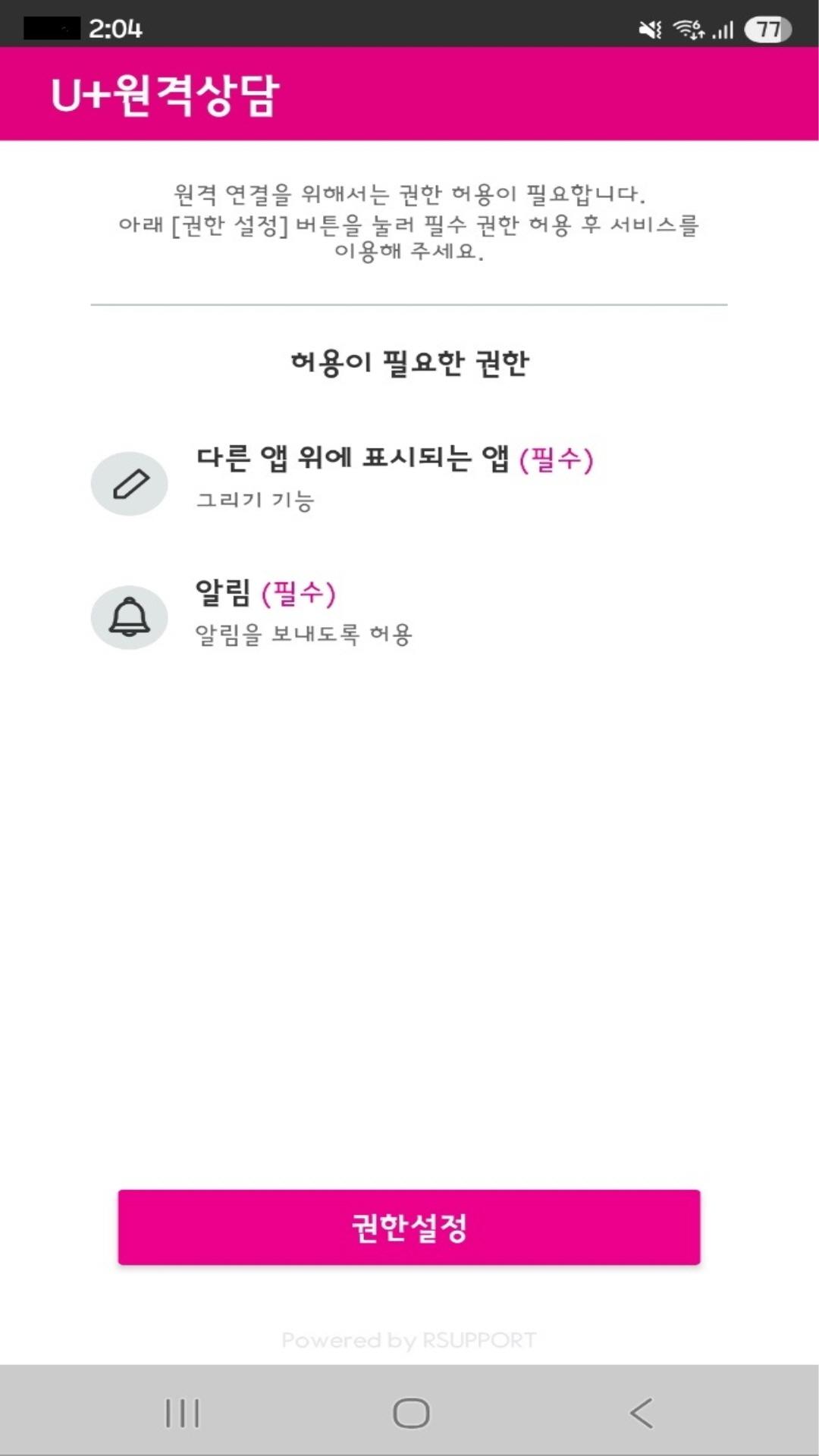
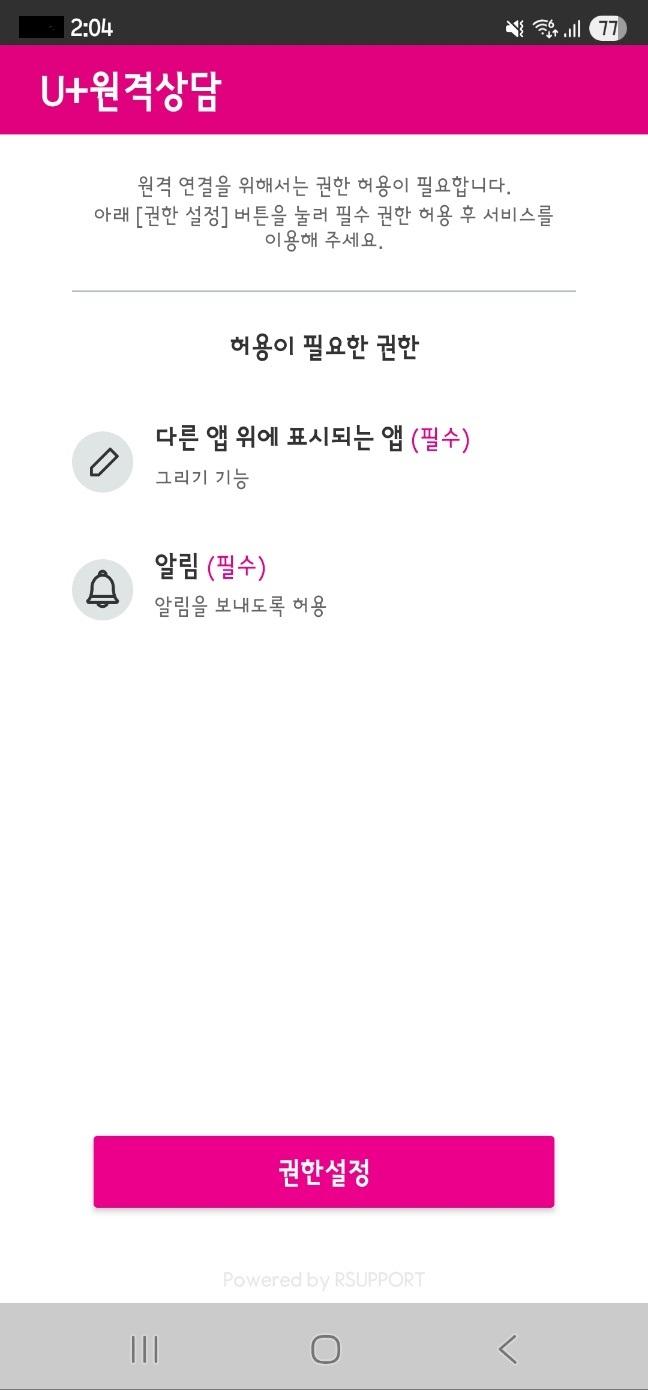
These are the access permissions that are absolutely necessary to use the U+ remote consultation service.
[Required access permissions]
- Notifications: Permission to display notifications on the user's device
- Display over other apps: Permission to display over other apps in use
※ Supports Android OS 6.0 or higher.
※ For smartphones with Android OS 6.0 or higher, you can cancel the allowed access permissions using the method below.
[How to remove access rights]
1. LG terminal: Settings > Applications > U+ Remote Consultation > Permissions > Notifications > Disable Notification Allow
2. Samsung terminal: Settings > Applications > U+ Remote Consultation > Permissions > Notifications > Disable Notification Allow
3. If you delete the app, you can remove the rights without going through steps 1 and 2.
[Developer contact information]
(Address) LG Uplus, 32 Hangang-daero, Yongsan-gu, Seoul
(Phone) +82-1544-0010
Latest Version
7.4.3.574Uploaded by
Md Rakib
Requires Android
Android 7.0+
Category
Free Tools AppContent Rating
Everyone
Security Report
Check Now
Report
Flag as inappropriateLast updated on Aug 6, 2025
- 원격상담 앱의 보안을 강화 했습니다.
- 화면 제어 오류를 수정했습니다.





APKPure - A multi-platform app store primarily focused on Android, providing extensive app-related content. Discover the app you want easier, faster, and safer, with quick and efficient downloads and installations.