Package Name:dev.striptools.strippdf
SHA-256:a90f399788d5657ac9f10403013ba696569fc638ac359430640abb682b2875c5
Show More

PDF & Word Metadata Remover (Vantre PDF) is an Android app that removes hidden metadata from PDF, Word (DOCX), Excel (XLSX) and PowerPoint (PPTX) files. It deletes author names, company, edit history, document IDs, timestamps and comment authors before you share a file. Everything runs on your phone. No upload, no account, no cloud.
WHAT IS DOCUMENT METADATA?
Metadata is hidden information stored inside a file that you never see on the page. A PDF or Office file can reveal who wrote it, which company and computer it came from, which software made it, when it was edited, and the names of everyone who commented on it. Anyone who receives the file can read it.
WHAT IT REMOVES FROM PDF FILES
- Author, creator, producer, title, subject and keywords
- Creation and modification dates
- XMP metadata, document IDs and revision history
- AI content credentials (C2PA)
- Annotations: keep, remove or flatten (Pro)
- Digital signatures and passwords: keep or remove (Pro)
WHAT IT REMOVES FROM WORD, EXCEL AND POWERPOINT
- Author, last modified by, company, manager, template path and total editing time
- Names on comments and tracked changes (replaced with "Author")
- Word editing session IDs (rsids)
- GPS location and camera data in embedded photos
- Folder paths from the author's computer and the printer name
- Preview thumbnail
- Pro: delete comments, accept all tracked changes and remove speaker notes
Supports DOCX, DOCM, DOTX, XLSX, XLSM, XLTX, PPTX, PPTM, PPSX and POTX.
HOW IT WORKS
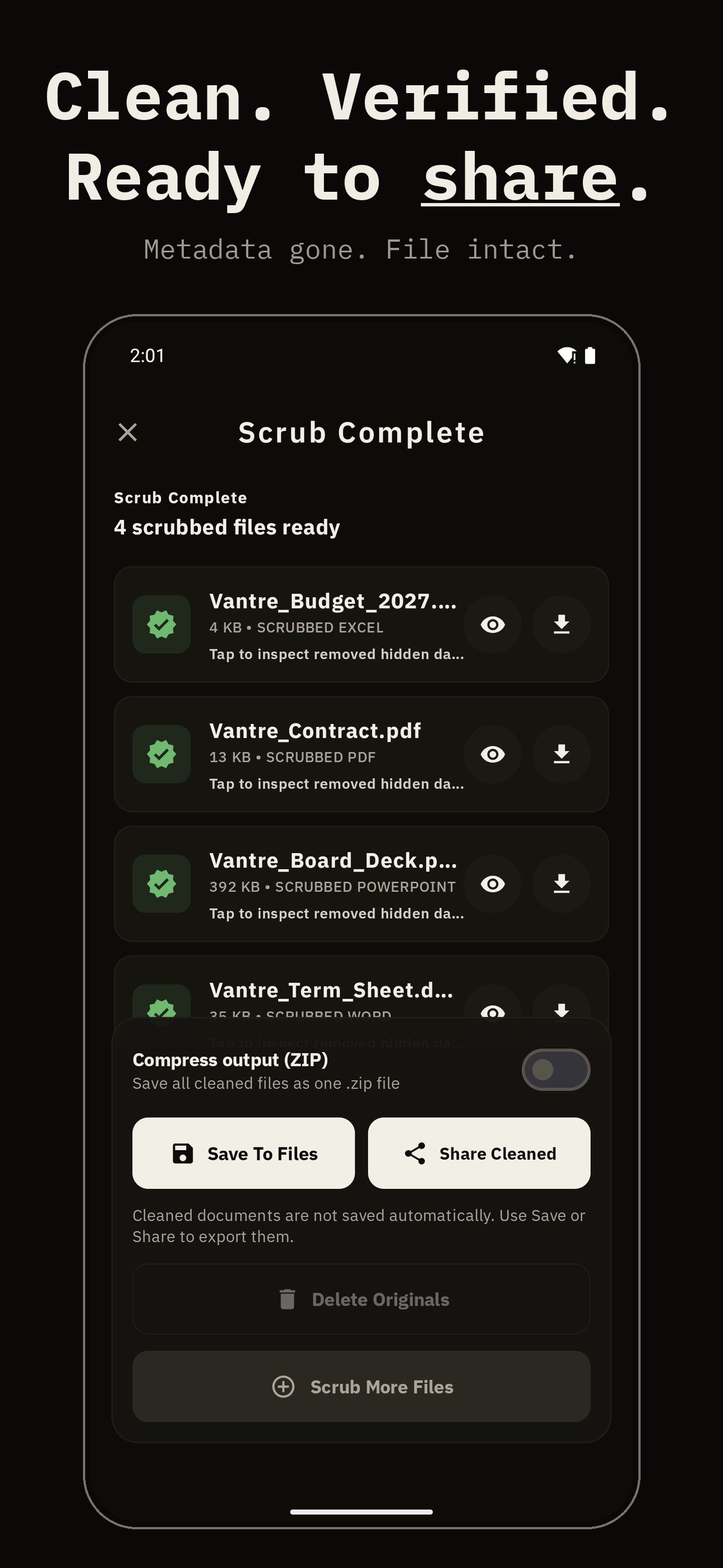
1. Pick files, or share them to the app from any file manager.
2. Read the audit: every finding is listed with a CLEAN, LOW, MEDIUM or HIGH risk rating.
3. Tap Scrub. The original file is never changed.
4. Save the clean copy or share it directly.
WHO IT IS FOR
- Lawyers and consultants anonymizing contracts and reports
- Journalists protecting sources
- Job seekers sending a resume without old edits inside
- Anyone sharing documents without revealing who made them, where or when
PRIVACY
All processing happens on your device. Files are never uploaded. No analytics, no ads, no account.
FREE, PRO AND LIFETIME
Free: 2 files per day, full metadata removal for PDF and Office, risk audit.
Pro: unlimited files, batches of 20, raw JSON metadata inspector, annotation and signature control, password removal, page rasterizing, Office comment, tracked-change and speaker-note removal, saved profiles.
Lifetime: pay once, all Pro features forever.
FAQ
How do I remove the author name from a Word document on Android?
Open the DOCX file in the app, check the author and last modified by fields in the audit, and tap Scrub. Names on comments and tracked changes are replaced too.
How do I remove metadata from a PDF on Android?
Select the PDF, review what the audit found, and tap Scrub. Author, dates, XMP data and document IDs are removed. Text and layout stay the same.
Does it delete tracked changes in Word?
Free removes the names on tracked changes. Pro accepts every change, so deleted text is gone for good, and can delete all comments.
Can photos inside a Word file reveal my location?
Yes. Photos pasted into documents often keep GPS data. The app removes it and leaves the picture unchanged.
Does it work offline?
Yes. No internet connection is needed to clean files.
Will it damage my document?
No. Text, images, formulas, slides and formatting are kept. Only hidden metadata is removed.
Can it clean password-protected files?
PDF: yes, enter the password. Office files: remove the password in Office first.
Also from Vantre: Photo Metadata Remover for EXIF and GPS in photos.
Latest Version
1.4.16Uploaded by
Kyaw Thu Ya
Requires Android
Android 8.0+
Category
Free Tools AppContent Rating
Everyone
Security Report
Check Now
Report
Flag as inappropriateLast updated on Oct 18, 2026
• Now cleans Word, Excel and PowerPoint files, not just PDFs
• Removes author names, company, edit history and GPS from photos inside documents
• Pro: delete comments, accept all tracked changes and remove speaker notes
• Now in Italian, Korean, Dutch, Polish, Swedish and Chinese
• More reliable file picking and smoother performance





APKPure - A multi-platform app store primarily focused on Android, providing extensive app-related content. Discover the app you want easier, faster, and safer, with quick and efficient downloads and installations.