To fix "Google Play Services has stopped" error, Open the application and check for update available or not. OR go to App Information screen and clear data/clear cache. Then restart the phone for better performance and efficiency.
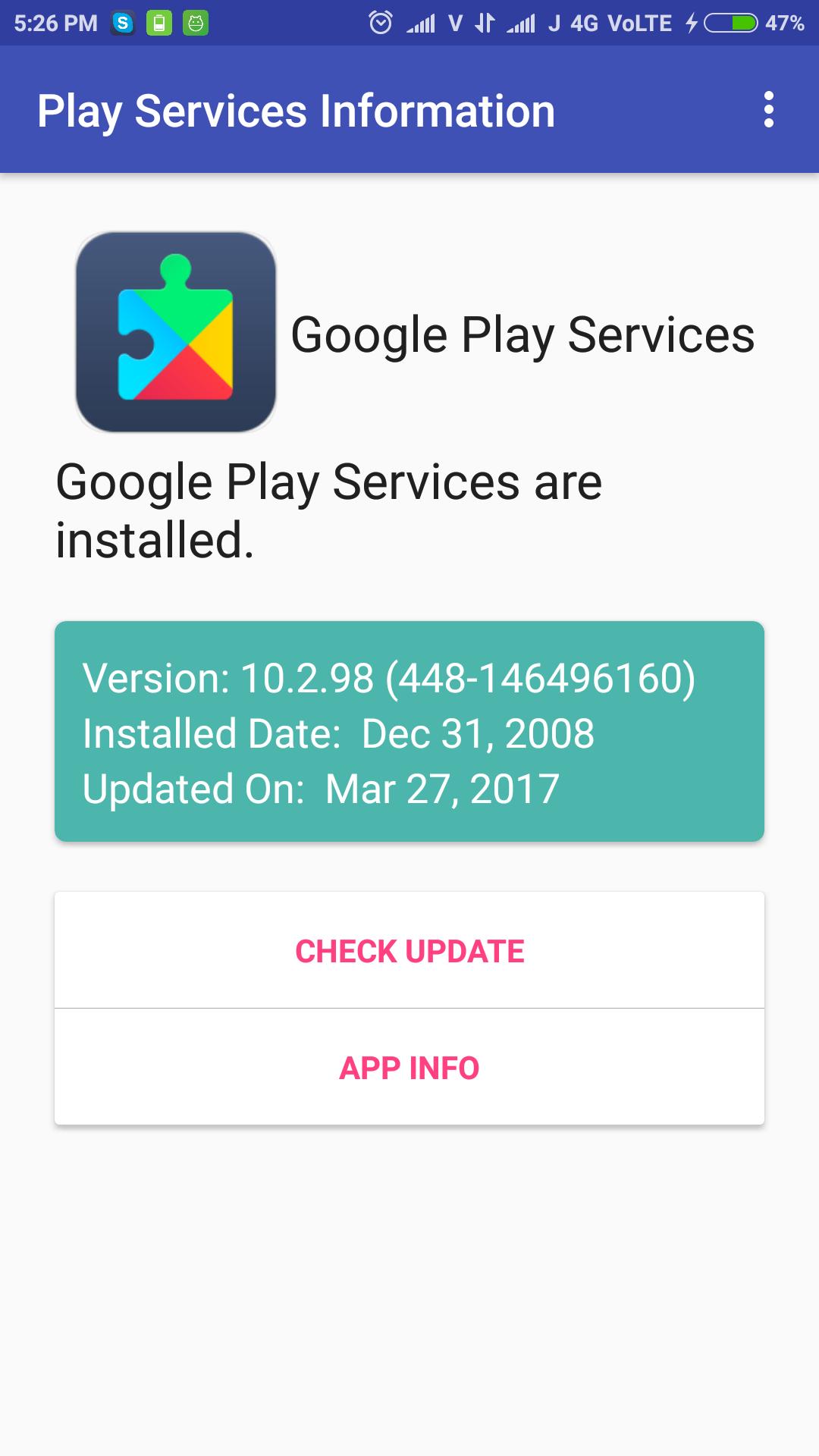
Check Google Play Services update simply, just open the application and check it. It shows installed play services version, installed date and updated date.
The app can be used to install or update the Google Play services.
Versi Terbaru
1.3Dimuat naik oleh
Rangsimun Sasisuwan
Memerlukan Android
Android 4.0.3+
Category
PERCUMA Alatan APLIKASIPenilaian Kandungan
Everyone
Laporkan
Tandai sebagai tidak sesuaiLast updated on Sep 27, 2017
Added Play Services APK download Mirror for all phones.



APKPure - Sebuah gedung aplikasi berbilang platform yang tertumpu terutamanya pada Android, menyediakan kandungan berkaitan aplikasi yang meluas. Temui aplikasi yang anda mahukan dengan lebih mudah, pantas, dan selamat, dengan muat turun dan pemasangan yang cepat dan cekap.