
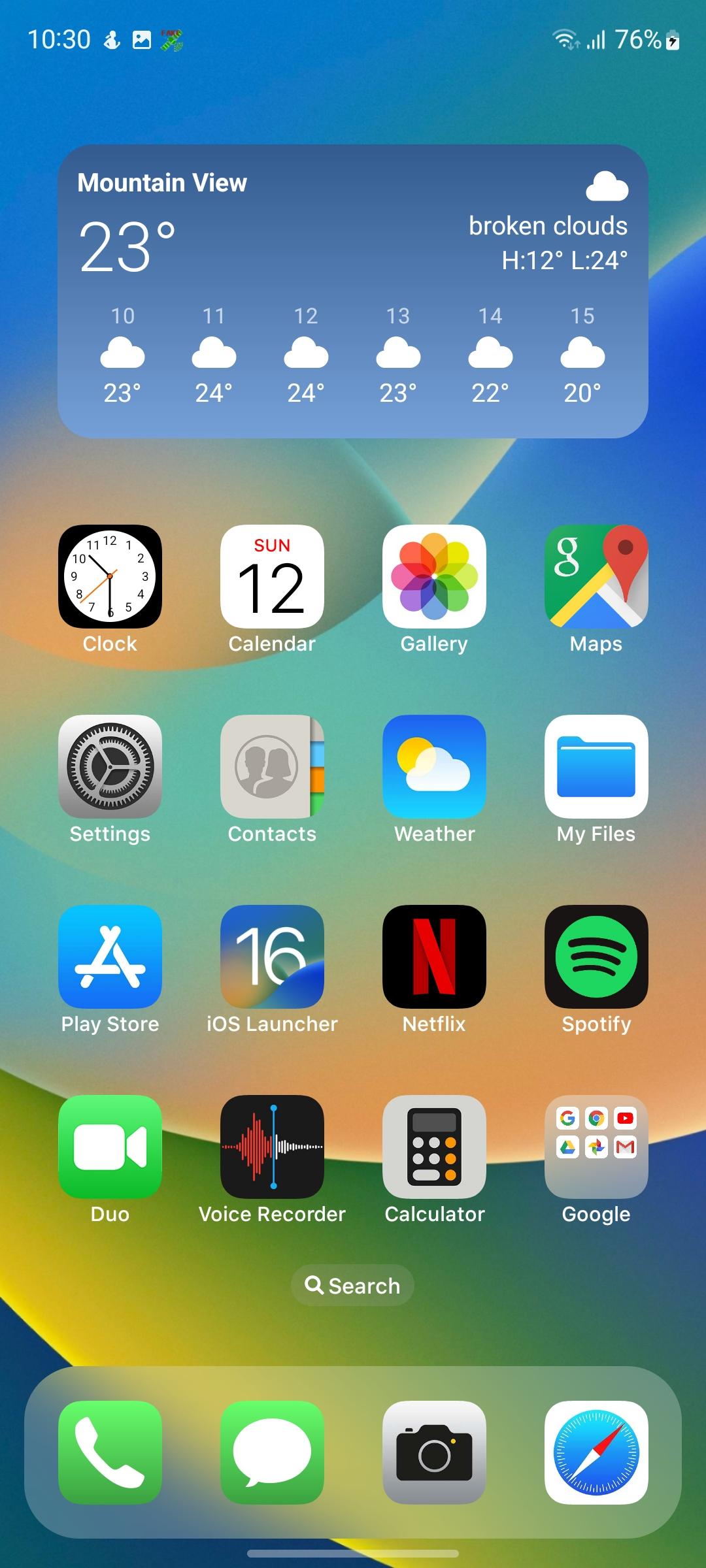
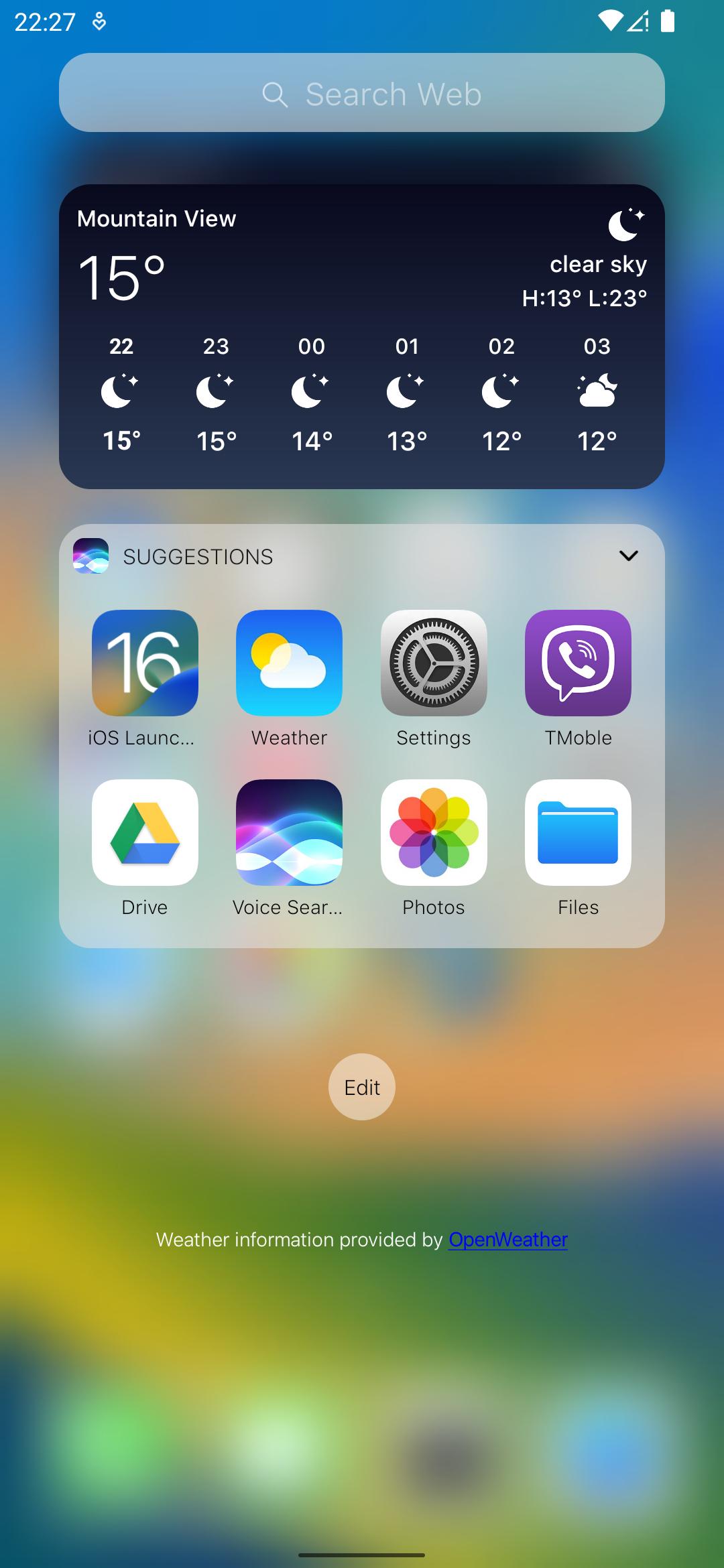
Launcher iOS 16 refreshes your home screen with a clean layout that mirrors the familiar iPhone experience. It replaces your default launcher and organizes apps, widgets, and pages in a clear grid. The interface focuses on smooth navigation, simple controls, and consistent visuals. Therefore, you can keep your Android device while enjoying an iOS style look and behavior. The design aims for familiarity without complexity, so setup stays quick and everyday use remains straightforward. It also supports companion utilities from the same developer, which helps you build a complete iOS style toolkit on your phone.
Authentic iOS style layout and motion
Launcher iOS 16 uses rounded icons, an iPhone style dock, and transitions that follow iOS behavior. This creates a consistent home screen that feels orderly and predictable. It keeps navigation simple, so you can focus on your apps.
Built in iOS wallpapers
Launcher iOS 16 includes a set of default iOS backgrounds to complete the look. You can switch wallpapers from the launcher with only a few taps. This keeps the visual style aligned across your icons and pages.
Control Center support
Launcher iOS 16 places Control Center access at the bottom edge for quick toggles and shortcuts. It works smoothly with the developer’s Control Center app to mirror the iPhone gesture. This brings common actions closer to your thumb.
Assistive Touch shortcuts
Launcher iOS 16 supports a floating Assistive Touch button for fast access to settings and actions. When paired with the developer’s Assistive Touch app, you can open key tools from any screen. This reduces taps and speeds up routine tasks.
Deep home screen customization
Launcher iOS 16 lets you adjust icon size, change rows and columns, and assign gesture shortcuts. You can fine tune spacing and reachability without clutter. As a result, your layout adapts to your screen size and daily habits.
Polished visual effects
Launcher iOS 16 offers optional blur effects when opening the app drawer for an iOS style feel. The effect stays subtle, so readability remains high. You get a refined look without slowing down navigation.
Launcher iOS 16 is developed by LuuTinh Developer, which also publishes Control Center and Assistive Touch utilities. The official package name is com.luutinhit.ioslauncher. This information helps you confirm authenticity and avoid modified builds.
To verify the official APK, match the package name and developer name before installing. You can also compare the installed app’s signature with your previous trusted version. This simple check helps ensure you use the correct Launcher iOS 16 APK.
Some pages mention an iOS 13 look while the app name references iOS 16. The launcher aims to deliver an iOS style experience across versions and receives updates over time. Therefore, the name reflects ongoing design updates rather than a fixed iOS release.
Launcher iOS 16 works well with the same developer’s utilities for a fuller iOS style setup. You can search for Control Center and Assistive Touch by LuuTinh Developer to complete the toolkit. This keeps gestures and quick actions consistent across your device.
If you are comparing options, you can also look into iLauncher, iPhone 14 Pro Max Launcher, and Launcher iOS 17. Each one approaches the iOS style in a slightly different way, so the best choice depends on your layout needs. Launcher iOS 16 focuses on familiar visuals and flexible controls without extra complexity.
This quick guide helps you start fast. It covers default launcher setup, look and feel changes, and optional tools. Follow the steps in order to keep the process simple.
Launcher iOS 16 provides an iOS style home screen with practical controls for everyday use. Get the latest Launcher iOS 16 APK on APKPure to set it as your default launcher and personalize your layout. Tap Download to begin and follow the steps above to finish setup in minutes.
How do I download the Launcher iOS 16 APK latest version on APKPure?
To download the Launcher iOS 16 APK latest version, use the Download button on this page and follow the on screen prompts. After the file saves, open it to install, then set Launcher iOS 16 as your default launcher.
Is Launcher iOS 16 free to use on Android?
Yes, Launcher iOS 16 is free to use on Android. You can install it, set it as the default, and access its core features without purchase.
Do I need the Control Center or Assistive Touch apps for all features?
No, Launcher iOS 16 works on its own, and you can use the iOS style layout and wallpapers immediately. However, Control Center and Assistive Touch from the same developer add quick toggles and a floating button for faster access to actions.
How can I verify that I installed the official Launcher iOS 16 APK?
Check that the developer name shows as LuuTinh Developer and the package name is com.luutinhit.ioslauncher. If you already used a trusted release, compare the installed signature with the previous one to confirm it matches.
What is the difference between Launcher iOS 16 and Launcher iOS 17?
Launcher iOS 16 focuses on an iOS style design that aligns with recent versions, while Launcher iOS 17 themed apps may target newer visual cues. Choose based on the look you prefer and the customization options you need for your device.
Latest Version
6.2.5Uploaded by
محمد ابوحسام
Requires Android
Android 4.2+
Category
Free Personalization AppContent Rating
Everyone
Report
Flag as inappropriateLast updated on Oct 25, 2022
THIS UPDATE:
- Fixes other issue reported by user.
NEXT ACTIONS:
- Add new widgets.
- Improve performance.
- Fixes issue.
So sorry with some ads in iOS Launcher settings only.
I must add some ads to keep working and support user quickly.
THANK YOU SO MUCH FOR USING MY APPS!
IF YOU HAVE ANY THE PROBLEM, PLEASE SEND EMAIL TO ME WITH VIDEO OR SCREENSHOT.




APKPure - A multi-platform app store primarily focused on Android, providing extensive app-related content. Discover the app you want easier, faster, and safer, with quick and efficient downloads and installations.