Scan Date:Dec 14, 2024
Show More
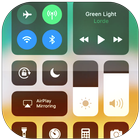

Control Center helps when you need to change settings or open tools without leaving your current screen. It places a panel at the edge so you can pull it in with simple gestures. This keeps common actions within reach while you browse, watch, or play. Additionally, setup is straightforward, and you can adjust how it opens later. You can install the Control Center APK to add this panel on supported Android devices.
Edge access and setup
After you download Control Center, open settings to choose how to bring up the panel from any screen. You can enable swipes from edges and decide how to close it using a swipe or system buttons. Position, size, color, and vibration feedback can be customized to fit your device.
Core toggles
Everyday tools
Display, media, and capture
You can adjust screen brightness from any app and control audio playback with play, pause, and volume. Screen Record captures on screen activity on devices running Android 5.0 or later. Screenshot lets you save the current screen on the same supported versions.
Control Center adds a quick panel for settings and essential tools on Android. It suits users who want fast access from any screen with simple gestures and clear controls. Update to the Control Center latest version to get the newest improvements and device support.
Latest Version
3.3.5Uploaded by
センチ メートル
Requires Android
Android 4.1+
Category
Free Tools AppContent Rating
Everyone
Security Report
Report
Flag as inappropriateLast updated on Oct 21, 2024
- Fix all issue reported from users.
THANK YOU VERY MUCH FOR USING MY APP!
IF YOU HAVE ANY PROBLEMS, PLEASE SEND EMAIL TO ME. I WILL TRY IMPROVE MY APP TO BETTER.



APKPure - A multi-platform app store primarily focused on Android, providing extensive app-related content. Discover the app you want easier, faster, and safer, with quick and efficient downloads and installations.