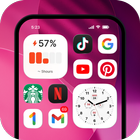

Launcher OS™ suits users who want a tidy home screen, fast access to apps and files, and clear tools that get out of the way. It focuses on easy organization and consistent navigation so you can reach what matters without extra steps. The home experience stays clean while still offering flexible setup for different routines. For users who prefer a direct install option, the phrase Launcher OS™ APK is often used when searching for the app package.
App Library with quick search
Launcher OS™ groups your apps into editable categories to reduce clutter and make browsing smoother. You can rename or rearrange groups to match how you think about tasks. When you need something fast, type a few letters and the smart search highlights the right app at once.
Device wide file finder
Beyond apps, you can search for files stored on your phone from one place. The built in file search helps you locate documents, images, and other items without opening a separate file manager. This saves steps when you just need to find and open a specific file quickly.
Home screen customization
You can pick wallpapers from local storage or from the app server, adjust app icons, and place widgets for at a glance info. Large folders keep related shortcuts together while staying easy to tap. These options help you build a home layout that fits your habits without feeling busy.
Lock screen tools for faster access
Quick launch camera is available from the lock screen so you do not miss a moment. Incoming calls and notifications can show on the lock screen, and a lock screen overlay can appear above other apps when enabled. This keeps important actions within reach, even when the phone is not on the home screen.
AI chat with voice input
Voice input turns speech into text so you can send queries without typing. It is useful when your hands are busy or when you prefer dictation. You can switch between speaking and typing based on what feels more convenient at the time.
Launcher OS™ requests only the permissions needed to run its core tools. Camera access supports the lock screen quick camera feature. Notification access lets the launcher display calls and alerts on the lock screen. Display over other apps is needed for the lock screen overlay. Storage access allows you to set wallpapers and helps the file search index what is on your device. Microphone access enables voice input for chat. The developer states that no data is shared with third parties and that data is encrypted in transit. You can manage or revoke permissions anytime in your Android settings. For privacy details, visit the developer website listed below.
Launcher OS™ is free and supported by ads. Users who prefer no ads can choose Launcher OS™ Pro as a paid upgrade. The choice lets you decide how you want to use the launcher without changing the core experience.
The developer also offers Lock Screen OS, Dynamic View, and Easy Control as separate apps. These tools can complement Launcher OS™ for a more consistent setup across your phone. If you want to extend lock screen behavior, notification banners, or quick controls, consider these options from the same developer.
After you download Launcher OS™, setup takes only a few moments. The process helps you switch to the new home screen, organize apps, and enable optional tools. You can adjust each part later as your routine changes.
Launcher OS™ centers on simple organization, fast search, and practical lock screen tools with optional voice input. If you want the most recent improvements, look for the Launcher OS™ latest version. Choose the free tier or upgrade to remove ads based on how you prefer to use your home screen.
For official support and more information, use the contacts below.
Latest Version
6.3.13Uploaded by
Danilo Pereira
Requires Android
Android 8.0+
Category
Free Personalization AppContent Rating
Everyone
Report
Flag as inappropriateLast updated on May 8, 2026
Launcher OS - New version 6.3.13 (376)



APKPure - A multi-platform app store primarily focused on Android, providing extensive app-related content. Discover the app you want easier, faster, and safer, with quick and efficient downloads and installations.