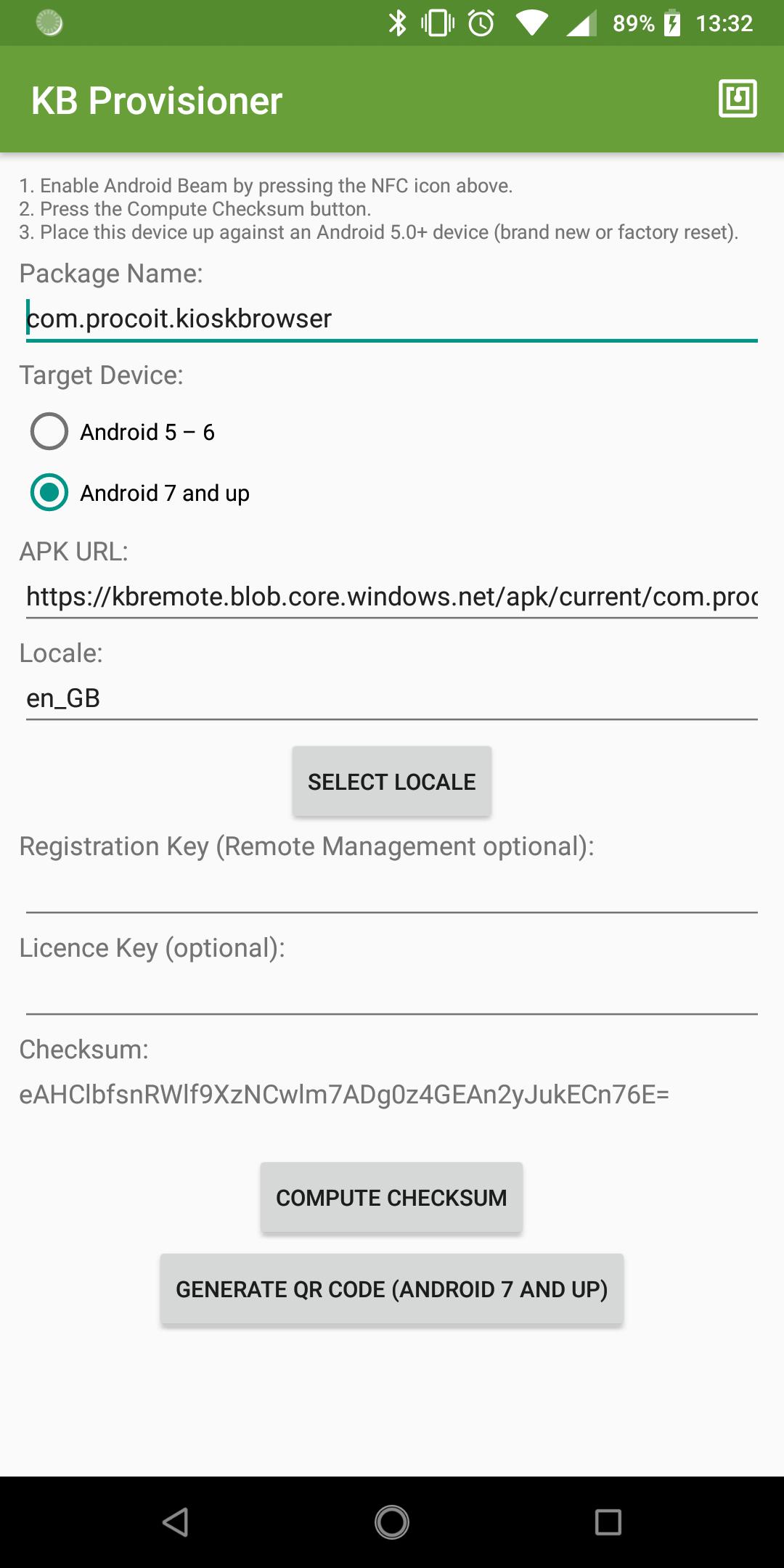
Kiosk Browser Provisioner is designed to provision devices with Kiosk Browser Lockdown, locking down any Android device using Device Owner rights. It is more secure than just installing Kiosk Browser through normal installation methods. The provisioner app is installed on a seperate device and is used to facilitate the installation on brand new/factory reset devices.
NFC
Configure the settings within the app, then just bump together the device with this app installed and a brand new or factory reset device. Follow the on-screen instructions to complete the provisioning process.
QR Code (Android 7.0 or higher)
Configure the settings within the app and press generate QR code. From your brand new or factory reset device, tap the screen 6 times from the setup wizard welcome screen and follow the on-screen instructions to complete the provisioning process.
[Documentation]
https://kioskbrowser.crisp.help/en/
Latest Version
1.0.5Uploaded by
Dery Dwi Pratama
Requires Android
Android 5.0+
Category
Free Business AppContent Rating
Everyone
Report
Flag as inappropriateLast updated on May 25, 2022
SDK 31



APKPure - A multi-platform app store primarily focused on Android, providing extensive app-related content. Discover the app you want easier, faster, and safer, with quick and efficient downloads and installations.