Scan Date:Mar 1, 2026
Show More
Please note Chromebooks are not supported, do not install on Chromebooks.
Designed for use on any Android device and is great for creating public kiosks, interactive digital signage etc.... Lock down the user interface so that the end-user can only access your defined webpage(s) and can't adjust Android system settings or gain access to other applications.
This app uses the Device Administrator permission. You can disable this permissions via Android Settings > Security > Device Admins (before uninstalling).
[How to exit]
Either press the hardware menu button or menu button in the top right hand corner of the screen, enter settings and then tap "Exit to Launcher" or tap anywhere within the webpage 4 times in quick succession to open the password dialog. The default settings password is 0000.
[Key features]
- Password protected settings
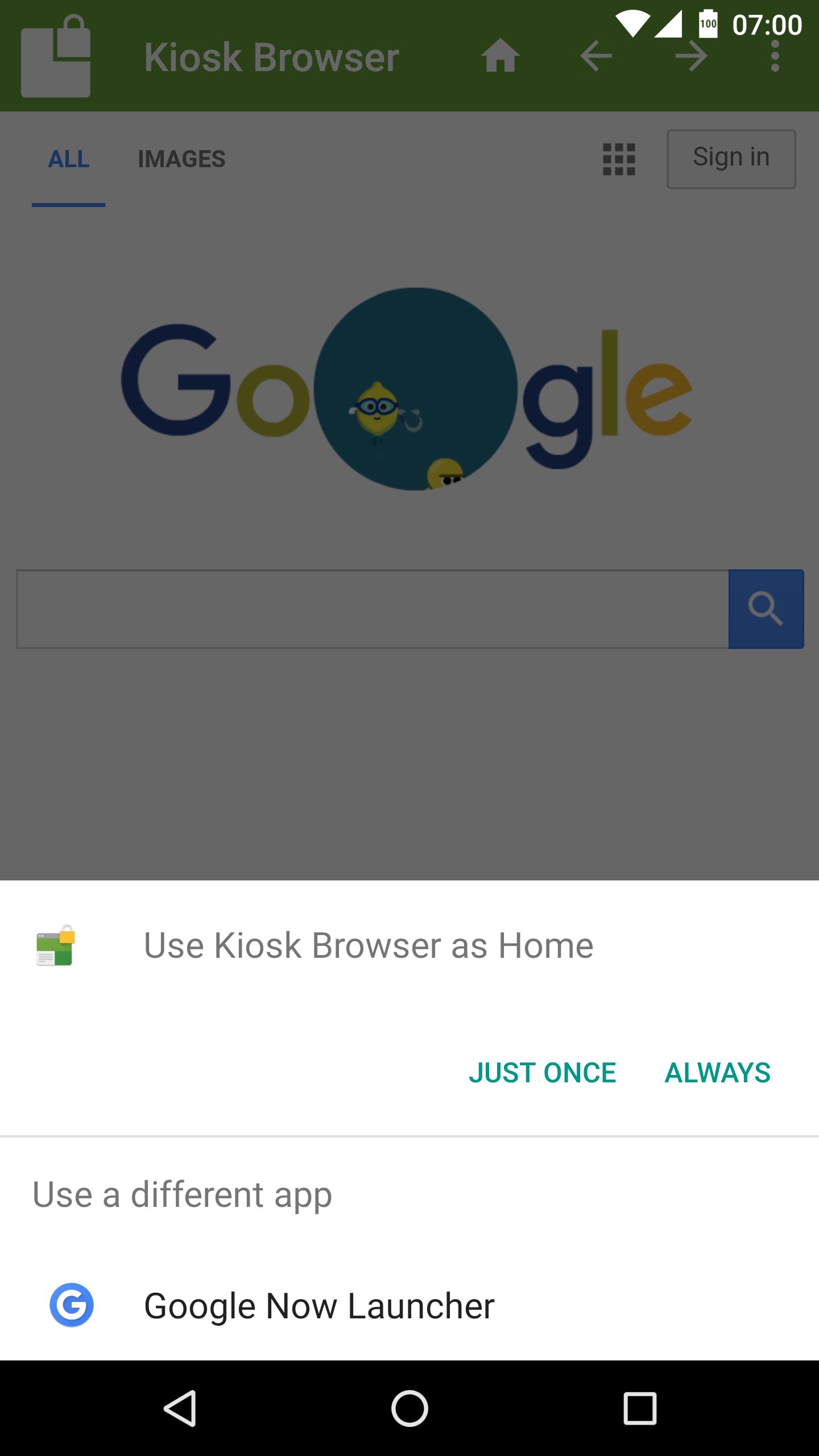
- Set as default launcher (prevents app exit)
- Idle page reload
- Hardware control (orientation, screen etc...)
- Cache, cookie & history control
- Disables access to notifications, recent apps, Google Now
- Hides system dialogs
- 70+ configuration options
[More Features]
- Bookmarks Bar
- Barcode Scanner
- NFC Reader
- Fullscreen mode / Hidden Toolbar
- Scheduled Sleep and Wake
- JavaScript Interface
- Google Cloud Print & ESC/POS bluetooth printing
- Screensaver (image(s)/video/website(s))
- Colour themes
- Camera Uploads
- Custom Error/Deny Pages
- Url Whitelist & Blacklist
- WiFi Settings Access
- XML Import/Export
[Xiaomi/Huawei/Acer Devices]
You must set the default launcher manually on these devices before Kiosk Browser will start. Normally within Android Settings > Home.
[Remote Management]
Available on a subscription basis, more information can be found on our website.
[Support & Documentation]
https://kioskbrowser.crisp.help/en/
[Licence]
All features are available to test for free, a licence is required for personal or commercial use.
Our licence agreement can be found here: https://www.android-kiosk.com/eula/
Latest Version
2.9.6Uploaded by
Valentino Lopez Palma
Requires Android
Android 5.0+
Category
Free Business AppContent Rating
Everyone
Security Report
Report
Flag as inappropriateLast updated on Oct 27, 2025
Removed READ_MEDIA_IMAGES, READ_MEDIA_VIDEO permissions, images and videos for screensavers must be saved under the app directory for all Android versions now (thanks for enforcing that Google!)
Fixes for "exit to launcher"
Inset display handling
Removed option "resize page when keyboard covers input" this should be automatic now
Fix for potential crash relating to not unregistering receivers
Set default text zoom to 100 (some devices change this by default)






APKPure - A multi-platform app store primarily focused on Android, providing extensive app-related content. Discover the app you want easier, faster, and safer, with quick and efficient downloads and installations.