🕒 Floating Stopwatch & Timer — Always With You, Always On Screen
How many times have you lost track of time switching apps just to check a stopwatch? With Floty, the time is always in front of your eyes — without interrupting what you're doing.
The most elegant floating stopwatch and floating timer for Android. Floats over any application, at any moment.
🌟 Why Choose Floty?
Unlike other stopwatches, this floating widget stays visible while you use any other app — whether you're cooking, gaming, studying, or giving a presentation. No switching. No interruptions. No losing your focus.
🤖 Create Widgets with Artificial Intelligence
Want a floating widget exactly as you imagine it? Now you can create it through conversation — with text or with your voice.
Local AI with Gemma 4 — create and customize floating widgets on your device, no internet required and no data shared
Gemini integration — connect with Google Gemini to create more advanced widgets using natural language
Voice and text — describe the widget you need by speaking or typing and the AI builds it for you
⚙️ Key Features
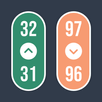
Floating stopwatch & timer — track elapsed or remaining time without closing your apps
Three floating widget sizes — small, medium, or large to fit your screen and needs
Simultaneous stopwatch and timer — control two different countdowns at the same time
100% customizable widget — adjust colors, transparency, and clock style
Voice alerts & alarm — spoken notifications when time is up
Full screen mode — large stopwatch for maximum visibility
Runs in the background — keeps tracking even with the screen locked
Smooth animations — real-time progress bars for hours, minutes, and seconds
One-tap close — quick button to hide the floating widget when not needed
Accidental close protection — confirmation prompt before closing the timer
🛡️ Safe Mode — Control Without Accidents
Do you accidentally tap the widget and stop the stopwatch at the worst moment? Safe Mode solves that.
Smart context menu — press and hold the widget to open a menu with all available options
No accidental taps — no action is triggered by a simple touch while Safe Mode is active
Perfect for presentations, cooking, or workouts — where stopping the timer by mistake is not an option
👆 Simple & Intuitive Controls
One tap → start or pause the stopwatch
Double tap → reset
Drag → reposition the floating widget anywhere on screen
Press and hold → opens the context menu in Safe Mode
💡 Perfect For...
🎮 Gamers — time your sessions in Subway Surfers, Free Fire, Clash of Clans and more
🎤 Speakers & presenters — control your time during speeches or presentations
🍳 Cooking — floating timer while you follow a recipe on screen
📖 Study & Pomodoro — focused work sessions without distractions
JW Library — track timing for parts, talks, and readings with precision
🏋️ Fitness — time your sets, rest periods, and workout routines
⏱️ The most complete floating time widget for Android — download it free today.
Latest Version
18.7Uploaded by
Sierra Kapoor
Requires Android
Android 8.0+
Category
Free Tools AppContent Rating
Everyone
Report
Flag as inappropriateLast updated on Oct 14, 2026
This release includes minor bug fixes and general improvements. Update to the latest version for the best experience.



APKPure - A multi-platform app store primarily focused on Android, providing extensive app-related content. Discover the app you want easier, faster, and safer, with quick and efficient downloads and installations.