Package Name:com.google.android.apps.labs.whisk
SHA-256:0efc0c096f618a66c10f5a1aa22f46549dd1e2274285f270b7388a77db2f140c
Show More

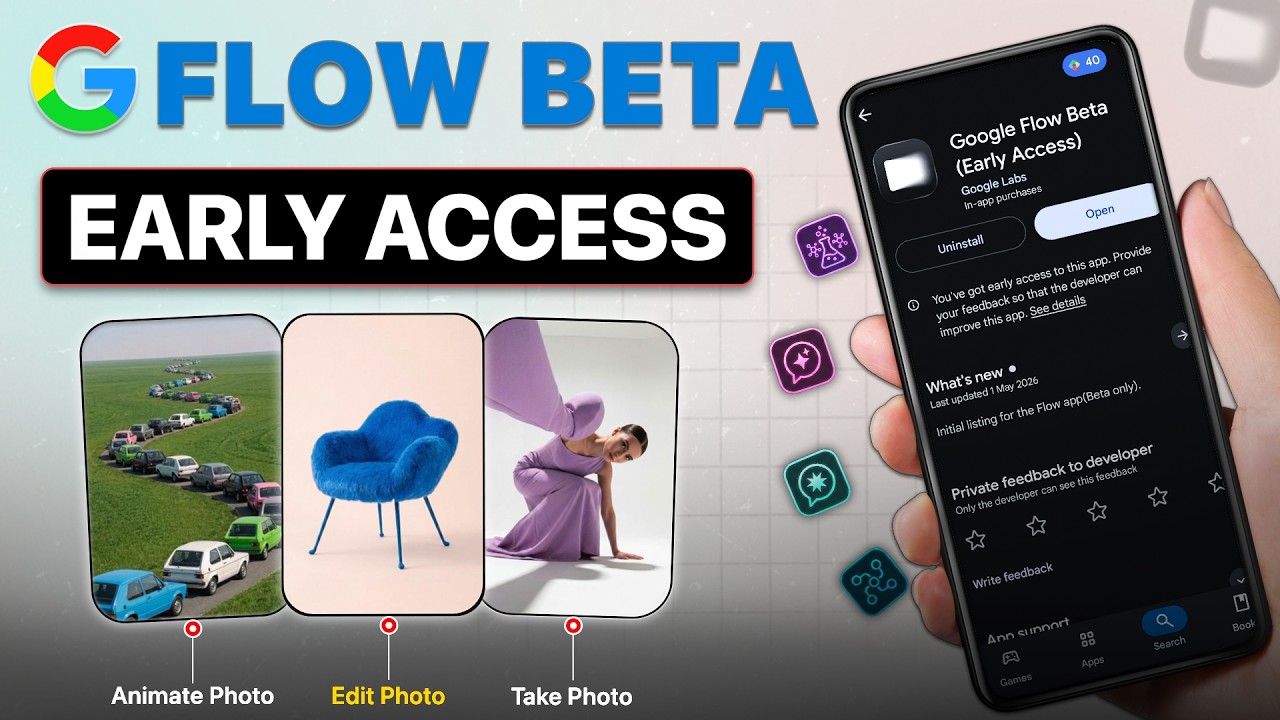
Google Flow Beta is built for creators who want to shape visual ideas directly on an Android phone. It focuses on turning prompts, photos, clips, and planned concepts into editable media, so users can move from a rough idea to a finished visual project in one place. In addition, the Google Flow Beta APK is useful for users who need mobile access to Google AI tools while working away from a desktop setup.
Create images and videos from prompts
Google Flow Beta lets you generate images and videos with Google generative models, including Gemini Omni, Nano Banana, and Veo 3.1. You can start with a text idea, then let the app produce visual results that match the direction you describe. This makes the app suitable for concept art, short clips, visual tests, and early creative drafts.
Use your own photos and footage
You can upload media from the camera roll or capture material with the live camera. After that, Google Flow Beta can use those images or clips as visual reference for new creations. This helps when a project needs to follow a real object, location, outfit, face style, scene mood, or other source material from everyday life.
Edit with natural language
Google Flow Beta supports edits through written instructions, so you can describe what should change instead of manually adjusting every detail. For example, you can ask for a different look, change part of a scene, refine a video direction, or adjust a visual asset. As the project develops, the app also offers professional controls and asset based edits for more specific changes.
Keep projects connected across devices
Google Flow Beta includes a synced creative library for projects and assets. This means users can keep related images, videos, and creative materials together while moving between mobile and desktop work. As a result, the phone can be used for quick creation or review, while a larger screen can still support later editing or project management.
Finish and share completed media
Google Flow Beta can run multiple image and video generations in the background. When media is ready, the app sends real time notifications, so users do not need to keep watching the same screen. Finished creations can be downloaded to the device for sharing, and tools such as Type Overlays, Video Resizer, Image Editor, Storyboard Studio, Shader Effects, and Mockup help prepare media for different uses.
Google Flow Beta is more than a simple image generator because it covers several parts of a creative workflow. You can plan ideas, create visuals from text or media input, refine results through conversation style editing, and prepare final assets with focused tools. This is useful for users who want one mobile workspace instead of switching between separate apps for every stage.
Availability and access may depend on the user account, region, and current beta rollout. Before choosing the Google Flow download, users should understand that beta apps can change over time as features are tested and adjusted. If a certain model, tool, or creation option is not visible, it may not be available for that account at the moment.
Google Flow Beta can support different visual projects, depending on the user’s goal. Filmmakers, artists, studios, and independent creators may use Flow style workflows for short films, music videos, concept art, fashion tests, and visual storytelling ideas. In this context, the app is useful when a creator needs to test several directions before choosing one final version.
Users who work with social content can also use the app to resize videos, add text overlays, prepare mockups, or turn early ideas into shareable drafts. For design related work, the image editor and shader effects can help test looks before exporting a finished result. These uses depend on the available tools inside the Google Flow Beta latest version.
After you download Google Flow Beta, start with a clear idea of the image or video you want to make. The app works best when the prompt, uploaded media, and editing requests all point toward the same creative goal. Then you can refine the result step by step instead of trying to finish everything in one command.
Google Flow Beta gives Android users a mobile workspace for planning, generating, editing, and saving image and video projects. If you need Google AI creation tools on your phone, download Google Flow Beta to test the available beta features and decide whether they fit your workflow.
Latest Version
1.522.2Uploaded by
Hoàng Thêm Hoàng
Requires Android
Category
Free Art & Design AppContent Rating
Teen · Diverse Content: Discretion Advised
Security Report
Check Now
Report
Flag as inappropriateLast updated on Aug 11, 2026
Initial listing for the Flow app (Beta only).



APKPure - A multi-platform app store primarily focused on Android, providing extensive app-related content. Discover the app you want easier, faster, and safer, with quick and efficient downloads and installations.