
Dynamic Spot Pro helps you handle alerts and ongoing activities without opening full apps. It places current tasks where they are easy to see, which keeps you focused while staying informed. In busy moments, quick interactions on the popup save time and limit app switching. As a result, everyday tasks like checking calls, music, or timers feel lighter and more organized. Users searching for Dynamic Spot Pro APK will find that it centers common actions in one spot for simple access.
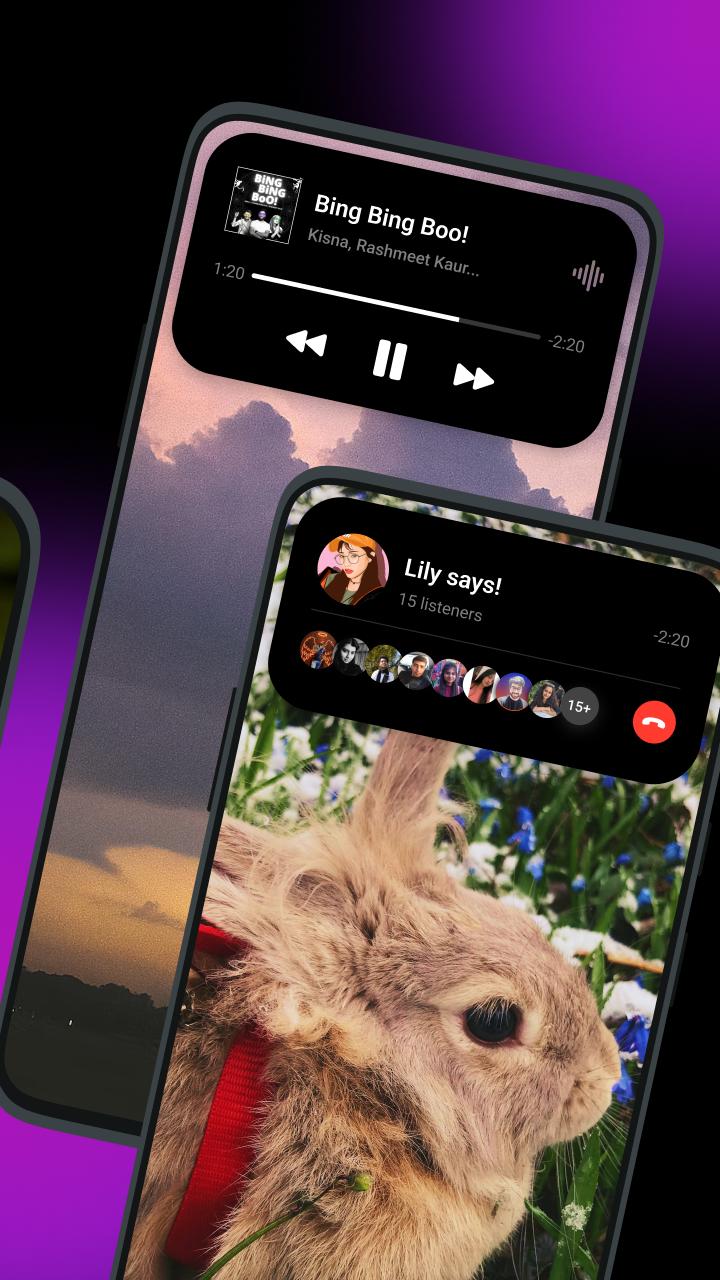
Dynamic Spot Pro places live activities in a compact popup inspired by the iPhone 14 Pro’s Dynamic Island concept. It surfaces current tasks near the top of the screen so you can glance and act right away. Tapping the popup opens quick controls, which keeps interactions short and on point.
Mini multitasking for calls, music, and timersYou can manage calls, music playback, and timers without switching apps. Answer or decline a call, pause or skip a track, and view a countdown directly from the popup. These small actions help you stay in your current app while still handling what needs attention.
Customizable animations and visualsDynamic Spot Pro lets you tailor how the popup looks and moves. Choose POP effects, enable the audio visualizer, and adjust size or position to match your screen layout. With a few tweaks, the popup can blend into your phone’s style while staying easy to spot when alerts arrive.
Clear, organized notification viewThe app declutters alerts and keeps recent notifications visible and manageable. You can quickly review what came in, dismiss items you are done with, and jump to important actions. This organized approach helps reduce notification overload while keeping key updates accessible.
Free base, optional Pro featuresDynamic Spot Pro is free to download and use. A Pro option adds deeper customization and extra controls tailored to power users. If you need more granular settings, upgrading expands visual choices and interaction behaviors without changing the core experience.
The app uses a small overlay to show popups, so it requires notification access and permission to display over other apps. You can choose which apps can trigger the popup and decide how much detail appears. This APKPure listing highlights the setup permissions so you know what to expect during onboarding.
After installing the Dynamic Spot Pro latest version, the setup takes a few steps. The app runs as a compact overlay for alerts and live activities. Follow this simple guide to get started.
Dynamic Spot Pro places calls, music, and timers in a handy popup so you can act quickly. For a focused setup, explore customization options and consider the Pro features if you need more control. When ready, download Dynamic Spot Pro to try it on your Android phone.
Latest Version
1.0Uploaded by
Stefan Putes
Requires Android
Android 5.0+
Category
Free Tools AppContent Rating
Everyone
Report
Flag as inappropriateLast updated on Nov 7, 2022
This release includes minor bug fixes and general improvements. Update to the latest version for the best experience.



APKPure - A multi-platform app store primarily focused on Android, providing extensive app-related content. Discover the app you want easier, faster, and safer, with quick and efficient downloads and installations.