What Is Instagram Edits on Mac? What It Means for Phone-First Creators

2026-11-06
Instagram's Edits video editor landed on Mac with multi-track timelines, colour grading and 4K exports. What it does, and what it means if you edit on Android.
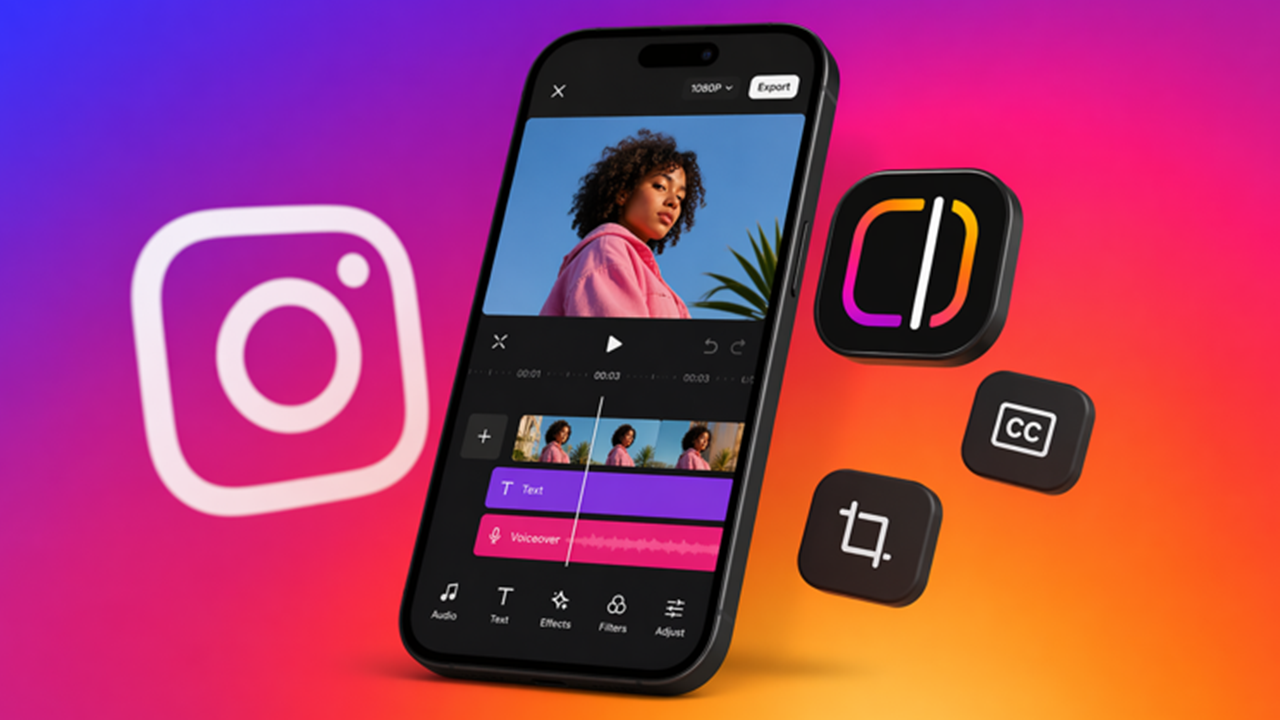

Instagram put Edits on the Mac on 5 November, which is a strange sentence to read in 2026. Edits launched as a phone app for people who shoot vertical video and post it the same day. Now the same tool has a multi-track timeline, keyframes, and 4K exports.
So what is Instagram Edits on Mac, and does it matter if you cut everything on an Android phone? Short answer: it matters less as a download and more as a signal about where short-form editing is heading.
What Instagram Edits on Mac Actually Is
Edits is Instagram's free video editor, built for creators who publish to Reels and to other short-form platforms. The Mac version is the same product with a desktop interface, and it's a free download from Instagram's own site.
The pitch comes straight from Brett Westervelt, who runs Edits: "A lot of creators have described the same moment to us: a project gets too big for your phone." That's the whole thesis. Not better effects. A bigger workspace for projects that outgrew a 6-inch timeline.
It's still an Instagram product, which means the export and the publishing flow are tied to Instagram in ways CapCut's aren't. That's the trade you make for free.
How the Edits Desktop App Works
The core is a multi-track timeline with keyframes for transitions and audio waveforms you can actually cut on. For anyone who has edited on a phone, the difference is physical: you can see four seconds of audio at a readable width instead of pinching to find a beat.
Around that timeline sits a set of tools that used to be Premiere territory. Colour wheels, curves, and log conversion for grading. Import for your own LUTs and fonts. Custom keyboard shortcuts, with the option to import a set from another editor so your muscle memory survives the switch.
The media library is licensed and royalty-free, and the caption tool generates unlimited automatic captions in multiple languages. Exports are watermark-free at up to 4K, in horizontal or vertical, so the same project can go to Reels and to a platform that prefers 16:9.
Publishing is built in. You can post straight from the desktop editor with tagging, location, and trial reels, which removes the step where you export a file, move it to your phone, and re-upload it.
Why Instagram Moved From Phone to Desktop
Because the phone stopped being the constraint. The constraint became the project.
Short-form video in 2026 is often a 12-clip edit with a colour pass and burned-in captions, and that's a 20-minute job on a laptop and a 90-minute job on a phone. Instagram's own framing is that creators graduate from one clip to a dozen and their tools should graduate with them.
There's also a competitive reason that Instagram won't say out loud. CapCut has been on Windows and Mac since 2021, and it became the default editor for a generation of creators partly because it was the only free one that worked on a big screen. Edits on desktop closes that gap, and it does it while keeping the publishing step inside Instagram.
What Changes for Android Creators
If you shoot on Android and edit on Android, the Mac app doesn't change your workflow today. There's no Windows version, and the Android app keeps getting updates.
What does change is the ceiling. Audio and text styles you saved on mobile sync to desktop, so a creator who starts a project on a phone can finish it on a Mac without rebuilding the look. Cross-device project editing, where one timeline opens on both, is still in development, and Instagram has said it's working on it.
For an Android-first creator with access to a Mac, that's a genuinely useful split: shoot and rough-cut on the phone, finish on the desktop. For everyone else, it's a reminder that the phone app is now the entry point rather than the whole tool.
One housekeeping note before you install anything new. Check which account permissions the editor asks for, keep two-factor authentication on the Instagram account you publish from, and don't sign in with a shared login on a machine other people use. The desktop app is free because it feeds the platform, and that's a fine trade as long as the account stays yours.
Practical Examples: Three Projects Worth Moving to a Mac
A 60-second brand cut with 14 clips and a music bed. On a phone, beat-matching across 14 clips means scrubbing with a thumb over the timeline. On a desktop timeline with waveforms, you can see the transient and place the cut on it.
A talking-head video with burned-in captions in two languages. Unlimited automatic captions plus a font import means the captions match your channel's type rather than Instagram's default. Doing that twice on a phone is a copy-paste job with a lot of scrolling.
A vertical cut and a horizontal cut of the same shoot. Export once in 9:16 and once in 16:9 from the same timeline, both watermark-free at 4K. On mobile you'd rebuild the framing twice.
What Edits Still Can't Do
It won't run on Windows, which rules out most of the desktop editing market. It won't edit one project across Mac and phone yet. And it won't replace a proper editor for anything long-form, because a multi-track timeline is not a node-based compositor and Instagram isn't pretending otherwise.
There's also the account question. Everything lives inside Instagram's world, so if your relationship with the platform changes, your tooling is tied to it. That's the cost of free.
Instagram Edits vs CapCut on the Basics
Both are free, both do multi-track editing, both export without a watermark. CapCut runs on Windows and Mac and has years of template culture behind it. Edits runs on Mac only for now, and its advantage is the publishing pipeline and the fact that your saved styles come with you from the phone.
As a CapCut alternative, Edits is narrower on platform support and stronger on publishing. For a creator whose whole output is Reels, it's the shorter path from timeline to post. For a creator who edits for YouTube and cross-posts, CapCut's platform coverage is still the practical choice.
Is the Edits Video Editor Worth Installing on a Mac?
If you already use Edits on your phone and you've ever given up on a project because the timeline got too crowded, yes. It's free, it's a real editor, and it removes the export-and-reupload step that wasted an hour a week.
If you don't own a Mac, this release changes nothing for you yet. Keep using the mobile Instagram video editor, and watch whether Instagram ships a Windows build, because that's the version that would actually move the market.
Conclusion
Instagram Edits on Mac is the first time the company has shipped a desktop editing tool, and it's aimed squarely at the moment a phone project becomes unusable. The tools are real, the export is clean, and the publishing flow is the part competitors can't copy.
For phone-first creators, the useful takeaway is that your workflow can now split across devices without splitting your look. Start on the phone, finish on the desktop, and publish from wherever you are.
 NEWS
 REVIEWS
 HOWTO