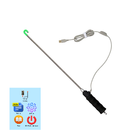
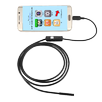
To use this app please check:
1) Your smartphone has OTG USB function
2) Your Microscope/Endoscope camera supports UVC standard
You can get as videos as photos on your gadget.
How does it work?
After you have installed this app, please reboot your gadget.
1) Videos. To start video recording you need press big button in the left top side of the screen.
2) Photos. To make the photo you need click "photo" icon left top side of the screen below "Videos icon".
Latest Version
21oct2018Uploaded by
Mahmad Maulud
Requires Android
Android 4.0+
Category
Free Productivity AppContent Rating
Everyone
Report
Flag as inappropriateLast updated on Oct 22, 2018
1) Videos. To start video recording you need press big button in the left top side of the screen.





APKPure - A multi-platform app store primarily focused on Android, providing extensive app-related content. Discover the app you want easier, faster, and safer, with quick and efficient downloads and installations.