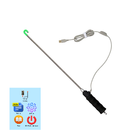
To use this app please check:
1) Your smartphone has OTG USB function
2) Your Microscope/Endoscope camera supports UVC standard
You can get as videos as photos on your gadget.
How does it work?
After you have installed this app, please reboot your gadget.
1) Videos. To start video recording you need press big button in the left top side of the screen.
2) Photos. To make the photo you need click "photo" icon left top side of the screen below "Videos icon".
آخرین نسخه
21oct2018بارگذاری شده توسط
Mahmad Maulud
نیاز به اندروید
Android 4.0+
دسته بندی
رایگان برنامه انتظام کاررتبهبندی محتوا
Everyone
گزارش
گزارش محتوای نامناسبLast updated on 22/10/2018
1) Videos. To start video recording you need press big button in the left top side of the screen.





APKPure - یک فروشگاه برنامه چند پلتفرمی که در درجه اول روی Android متمرکز شده و محتوای گسترده مربوط به برنامه را ارائه می دهد. برنامه مورد نظر خود را آسانتر ، سریعتر و ایمن تر با بارگیری و نصب سریع و کارآمد کشف کنید.