

Xposed Installer helps when you want deeper Android tweaks without replacing your whole system. It prepares the framework that lets small modules adjust app behavior and system functions. Instead of flashing a custom ROM, you apply focused changes and remove them when no longer needed. This approach saves time and reduces the risk that comes with installing third party firmware. For quick setup, get the Xposed Installer APK and follow the on screen guidance shown in the app.
Framework setup and status
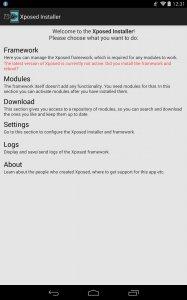
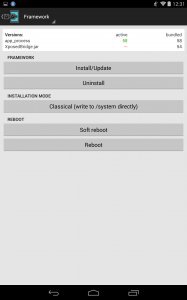
Xposed Installer sets up the required framework so modules can work. It shows the current status and helps you perform basic actions during installation or updates. Before you download Xposed Installer, check that the modules you plan to use support your Android version.
Multiple module support
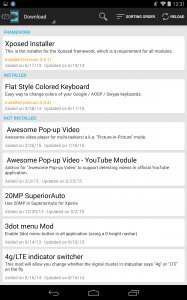
You can install multiple modules on the system to customize specific areas. This lets you apply small changes across apps and system components without changing the entire firmware. You decide which areas to adjust by selecting the modules that match your needs.
Customization without flashing custom ROMs
Apply targeted modifications without replacing your firmware with a custom ROM. This makes testing changes simpler and keeps the base system intact. When a change is no longer useful, remove the related module to return to the previous behavior.
Xposed Installer focuses on module based adjustments instead of full ROM replacement. Confirm compatibility for your device and modules, then install Xposed Installer latest version to begin.
Latest Version
3.1.5Uploaded by
Rovo89
Requires Android
Android 4.0.3+
Category
Free Tools AppReport
Flag as inappropriateLast updated on May 19, 2023
This release includes minor bug fixes and general improvements. Update to the latest version for the best experience.



APKPure - A multi-platform app store primarily focused on Android, providing extensive app-related content. Discover the app you want easier, faster, and safer, with quick and efficient downloads and installations.








![IMEI Changer [Xposed] APK](https://image.winudf.com/v2/image/Y29tLnNkZXgueHBvc2VkLmltZWlfaWNvbl8xNTI1Nzg4NTg0XzA4Mw/icon.png?w=102&fakeurl=1)