Package Name:com.milktea.garakuta.wifiviewer
SHA-256:3286664dd3e91ca958b9c24a2517504ee7a10b33d826926eb1e4dd54180334d2
Show More

This app measures the radio wave status of Wi-Fi, graphs it, and displays it as a signal strength map. You can search for devices on the Wi-Fi network you are currently connected to and visualize your Wi-Fi network.
Helps realize a more comfortable Wi-Fi environment by displaying Wi-Fi signal status graphs, signal strength maps, displaying a list of devices on the Wi-Fi network, and "visualizing" Wi-Fi information on smartphones. I will
With this app you can:
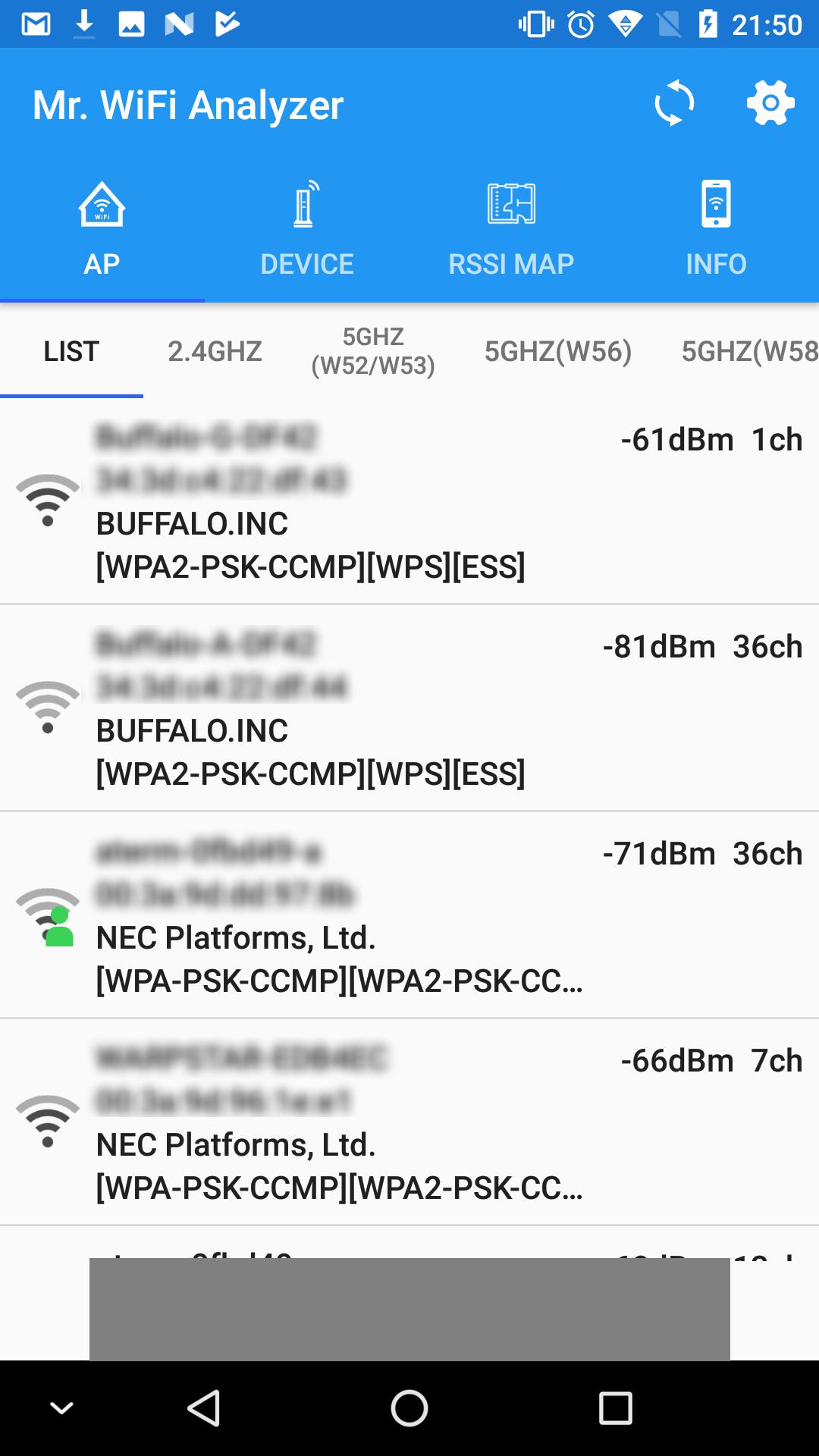
Show AP list:
View a list of access points (APs) near your Wi-Fi network. You can use this list to make sure you are connected to the strongest signal.
Create a radio map:
Wi-Fi signal strength can be displayed on a map by measuring the signal strength for each location. You can use this to find out where your Wi-Fi is strongest.
Display a list of devices:
Display a list of devices on the same LAN. You can use this list to see all the devices connected to your Wi-Fi network and identify them.
Use when you do not know the IP address of a device on the network.
Show Wi-Fi information:
Displays the IP address of the device connected to Wi-Fi, the SSID/BSSID of the connection destination, signal strength, link rate, etc. You can use it to check the network connection details of your device.
This app is a valuable tool for home users and network administrators.
If you want to know the signal strength of your Wi-Fi network and optimize your connection, this app is for you.
Latest Version
1.7.1Uploaded by
Husnulhayat
Requires Android
Android 5.0+
Category
Free Tools AppContent Rating
Everyone
Security Report
Check Now
Report
Flag as inappropriateLast updated on Aug 23, 2024
RSSI maps can now be saved as PNG.





APKPure - A multi-platform app store primarily focused on Android, providing extensive app-related content. Discover the app you want easier, faster, and safer, with quick and efficient downloads and installations.