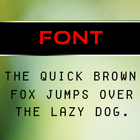
Bubble Font Pack can be launched through Go Launcher EX program.
This font pack changes the UI of your mobile screen to a great extent.
How to apply - After installing and Applying Go Launcher EX , on the Home Screen press the menu button, it will pop up several options on your screen. From there do as follows -
Go settings - > Personalization -> Fonts -> Scan Fonts -> Bubble Font Pack
After installation open the application, it will guide to apply the "Bubble Font Pack" through Go Launcher EX.
Note - To apply this font pack Go Launcher EX application is mandatory.
En Son Sürüm
1.0Yükleyen
Paul Rios
Gereken Android sürümü
Android 4.0.3+
İçerik derecelendirmesi
Everyone
Bildir
Uygunsuz olarak işaretleLast updated on Mar 8, 2016
Bu sürümde küçük hata düzeltmeleri ve genel iyileştirmeler bulunur. En iyi deneyim için en yeni sürüme güncelleyin.



APKPure - Android ağırlıklı, çok platformlu bir uygulama mağazası olup, geniş uygulama içeriği sunmaktadır. İstediğiniz uygulamayı daha kolay, hızlı ve güvenli bir şekilde keşfedin, hızlı ve verimli indirme ve kurulum imkanlarıyla.