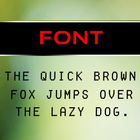
Bubble Font Pack can be launched through Go Launcher EX program.
This font pack changes the UI of your mobile screen to a great extent.
How to apply - After installing and Applying Go Launcher EX , on the Home Screen press the menu button, it will pop up several options on your screen. From there do as follows -
Go settings - > Personalization -> Fonts -> Scan Fonts -> Bubble Font Pack
After installation open the application, it will guide to apply the "Bubble Font Pack" through Go Launcher EX.
Note - To apply this font pack Go Launcher EX application is mandatory.
Last updated on Mar 8, 2016
이 버전에는 사소한 버그 수정과 전반적인 개선 사항이 포함되어 있습니다. 최상의 환경을 위해 최신 버전으로 업데이트하세요.



APKPure - 안드로이드를 중심으로 한 멀티플랫폼 앱스토어로, 다양한 앱 관련 콘텐츠를 제공합니다. 더 쉽고, 빠르고, 안전하게 원하는 앱을 찾아보세요. 빠르고 효율적인 다운로드와 설치가 가능합니다.