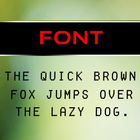
Bubble Font Pack can be launched through Go Launcher EX program.
This font pack changes the UI of your mobile screen to a great extent.
How to apply - After installing and Applying Go Launcher EX , on the Home Screen press the menu button, it will pop up several options on your screen. From there do as follows -
Go settings - > Personalization -> Fonts -> Scan Fonts -> Bubble Font Pack
After installation open the application, it will guide to apply the "Bubble Font Pack" through Go Launcher EX.
Note - To apply this font pack Go Launcher EX application is mandatory.
Versi Terbaru
1.0Dimuat naik oleh
Paul Rios
Memerlukan Android
Android 4.0.3+
Category
PERCUMA Pemperibadian APLIKASIPenilaian Kandungan
Everyone
Laporkan
Tandai sebagai tidak sesuaiLast updated on Mar 8, 2016
Versi ini mengandungi pembaikan pepijat kecil dan penambahbaikan umum. Kemas kini kepada versi terkini untuk pengalaman terbaik.



APKPure - Sebuah gedung aplikasi berbilang platform yang tertumpu terutamanya pada Android, menyediakan kandungan berkaitan aplikasi yang meluas. Temui aplikasi yang anda mahukan dengan lebih mudah, pantas, dan selamat, dengan muat turun dan pemasangan yang cepat dan cekap.