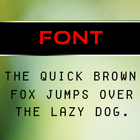
Bubble Font Pack can be launched through Go Launcher EX program.
This font pack changes the UI of your mobile screen to a great extent.
How to apply - After installing and Applying Go Launcher EX , on the Home Screen press the menu button, it will pop up several options on your screen. From there do as follows -
Go settings - > Personalization -> Fonts -> Scan Fonts -> Bubble Font Pack
After installation open the application, it will guide to apply the "Bubble Font Pack" through Go Launcher EX.
Note - To apply this font pack Go Launcher EX application is mandatory.
Versi Terbaru
1.0Diunggah oleh
Paul Rios
Perlu Android versi
Android 4.0.3+
Kategori
Gratis Personalisasi APLIKASIRating konten
Everyone
Last updated on Mar 8, 2016
Versi ini berisi perbaikan bug kecil dan peningkatan umum. Update ke versi terbaru untuk mendapatkan pengalaman terbaik.



APKPure - Toko aplikasi multi-platform yang terutama berfokus pada Android, menyediakan konten terkait aplikasi yang luas. Temukan aplikasi yang Anda inginkan dengan lebih mudah, cepat, dan aman, dengan unduhan dan pemasangan yang cepat dan efisien.