Package Name:nl.sven.tankshell
SHA-256:d705e08600d00e0471d2eaaba2ac95eef66fc34184196d9d432a7100e2bebc5f
Show More
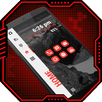
Tank Shell Launcher turns your home screen into a calm, dark terminal — full app drawer, real widgets, and a theme that's actually yours.
FEATURES
• Full-screen app drawer with search and an A–Z rail.
• Favorites-first home screen. Long-press an app to pin, reorder, hide, uninstall or file it away.
• Home button doubles as search: press Home to return, again to search.
• Real Android widgets, not previews — resize, reorder, configure.
• Six accent colors or your own hex, two fonts, adjustable text size, four backgrounds including your own photo.
• Save up to 12 theme combinations and switch instantly.
• Day, date, clock and battery each open the right system screen.
• Optional weather beside the clock: type a town, get the temperature and sky, refreshed hourly. No location permission — off by default.
• Turn off the clock or the battery row — nothing is compulsory.
• Dutch and English, following your phone's language.
SEARCH IS A SHELL
Type a command instead of an app name. wifi, bt, df, display, sound, battery, apps, date, language, dev, device, accessibility, settings and launcher jump straight to that Android screen. calc 15*3.2 does the maths, and so does plain 12*7. ?anything searches the web. neofetch prints your model, Android version, memory, storage and uptime. top opens screen time, ls shows every app, and help lists the lot — tap any of them to fill the search bar.
Commands appear above your app results and only on an exact word, so "wifi analyzer" still finds the app. From two letters typed, matching ones are suggested; switch that off in Settings.
FOLDERS
Group apps that belong together — a Money folder for your bank and crypto apps, say. Pick a name and one of fifteen line-art icons. Folders sit at the top of your favorites, and the apps inside stay in All apps and in search, so filing one away never hides it.
HIDDEN APPS
Set your own code, then long-press any app and choose Hide app. It disappears from your favorites, from All apps and from search. Type your code into the search bar to bring them back — long-press one to unhide it. Changing the code needs the current one.
SCREEN TIME THAT STAYS ON YOUR PHONE
See how long you used each app today, or over the last seven days, as a terminal-style table with bars. Built on your device from Android's own statistics, shown once and thrown away — nothing stored, nothing uploaded. You grant usage access yourself; the rest works without it.
GESTURES
• Swipe down on the left for notifications, on the right for quick settings.
• Swipe left to right to open Google News.
• Double-tap an empty spot to lock the screen.
The panels and the lock use Android's accessibility service, which you enable yourself after a clear explanation in the app. It only performs those three actions, after your own gesture.
BACK UP WITHOUT AN ACCOUNT
Export your theme, favorites and terminal name to a file you pick, and import it later. No account, no cloud.
FREE, NO SUBSCRIPTION
Everything above is free: hidden apps, folders, fonts, saved themes, your own wallpaper, backup, widgets, screen time. Optional one-off extras: three live themes (Meridian follows the time of day, Voltage your battery, Uptime how long since you rebooted) and Line icons, which tints every icon to your accent. Try each free for 24 hours first. Never an ad in your app drawer.
ADS ARE OPTIONAL
No ad is ever required. You get 5 widgets and 12 saved themes; for more, watch a short ad for an extra widget slot or three theme slots. Send the app to a friend and keep a root prompt plus five extra widget slots.
PRIVACY
No analytics, no trackers, no account. The launcher uses the network for two things only: an ad you chose to watch, and the weather, if you switched it on. It holds no location permission at all. Contacts, calendar entries and notification content are never read.
Requires Android 10 or higher. No root needed.
Latest Version
1.2.1Uploaded by
โน ริ ชัง
Requires Android
Category
Free Personalization AppContent Rating
Everyone
Security Report
Check Now
Report
Flag as inappropriateLast updated on Oct 31, 2026
• Clean home screen and tidier settings



APKPure - A multi-platform app store primarily focused on Android, providing extensive app-related content. Discover the app you want easier, faster, and safer, with quick and efficient downloads and installations.