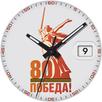
Package Name:com.watchfacestudio.sportik
SHA-256:06edb3dd66cf27a3630c0a32dd15956d03b631b0ea57851f12536eb561639adf
Show More

Watch face for smart watches on the Wear OS platform supports the following functionality:
- Automatic switching of 12/24 hour modes. The watch display mode is synchronized with the set mode on your smartphone
- Multilingual display of the day of the week. The language is synchronized with the settings of your smartphone
- Bilingual display of data types: in Russian and English. English is a priority and is displayed in cases where the interface language on the smartphone is not Russian
- Display of battery charge
- Display of the number of steps taken
- Display of the current heart rate
CUSTOMIZATION:
You can choose one of the color schemes in the watch face settings menu
The watch face has two information zones for displaying data from applications installed on your watch. I recommend setting up Weather information and sunrise/sunset times (as in the screenshots). Of course, you can set up data from any other apps, but they may not be optimized to display such information, and you may have empty fields or incomplete/not formatted text instead of data.
IMPORTANT! I can only guarantee the correct operation of the information zones on Samsung watches. Unfortunately, I cannot guarantee operation on watches from other manufacturers. Please keep this in mind when purchasing a watch face.
There is also one peculiarity in displaying the weather on the Samsung Galaxy Watch Ultra - as of 12/07/24, weather data (stock Samsung app) is displayed incorrectly in this watch due to software. You can use weather data from third-party apps.
You can select a black watch face background through the settings menu to save battery life.
I made an original AOD mode for this watch face. To display it, you need to activate it in the menu of your watch. In this case, the AOD mode can work in two modes
- Economy (set the value in the menu to "AOD Dark")
- Bright (set the value in the menu to "AOD Bright"). Please note! In this mode, battery consumption will be higher
For comments and suggestions, please write to e-mail: eradzivill@mail.ru
Join us on social networks
https://vk.com/eradzivill
https://radzivill.com
https://t.me/eradzivill
https://www.facebook.com/groups/radzivill
Sincerely,
Eugeniy Radzivill
Latest Version
Varies with deviceUploaded by
Shobur
Requires Android
Category
Personalization AppContent Rating
Everyone
Security Report
Check Now
Report
Flag as inappropriateLast updated on Dec 29, 2025
Minor bug fixes and improvements. Install or update to the newest version to check it out!




APKPure - A multi-platform app store primarily focused on Android, providing extensive app-related content. Discover the app you want easier, faster, and safer, with quick and efficient downloads and installations.